| EZCAD2 SDK | EZCAD3 SDK | |
| Operation System | Windows 32/64 Bits | Windows 64 Bits |
| Programming Platform | X86 | X64 |
| Programming Language | C#,C++ | |
| Custom API | √ OPTIONAL | |
| Multi Head Library | √ OPTIONAL | √ |
| High Precision Calibrationn Library | × | √ OPTIONAL |
| Demo Code | √ | √ |
| User Manual | √ | √ |
| Note: EZCAD SDK can only be used with controller directly purchased from JCZ. Ezcad2 SDK only support LMC V4 Standard board(lite board not support) | ||
EZCAD Laser Marking Software SDK for OEM and Automation Integration
Build your own laser marking interface, connect marking functions with automated equipment or develop specialized laser-processing software using the EZCAD laser marking software SDK. It is designed for laser machine OEMs, automation integrators, equipment developers and industrial software teams that require direct software access to compatible laser control hardware.
The development package is available for EZCAD2 and EZCAD3 platforms, with C++ and C# support, demo code and user documentation. Depending on the selected version and project configuration, developers can integrate marking, engraving, etching, welding or cutting functions into a proprietary HMI, production management system or customized laser machine.
The SDK must be used with compatible original controllers purchased directly from JCZ. Controller model, software version and optional libraries should be confirmed before ordering.
What Can You Develop with the EZCAD SDK?
The SDK allows qualified development teams to incorporate laser-processing functions into their own Windows applications rather than requiring operators to complete every task through a standard software interface.
Typical development projects include:
- Proprietary operator interfaces for OEM laser machines
- Simplified HMIs for dedicated marking stations
- Automated serial number, QR code and Data Matrix marking
- Product recipe and parameter management
- Database-driven variable data marking
- Production-line marking triggered by external equipment
- Multi-station or multi-head laser systems
- Customized software for engraving, welding or cutting equipment
- Integration with factory traceability workflows
- Application-specific software for medical, automotive, electronics and packaging production
Your host application can also coordinate marking tasks with PLCs, sensors, encoders, robots, cameras, databases or MES/ERP platforms. The communication method and development responsibility should be defined during project evaluation.
Why OEMs Choose This Laser Marking Software SDK
Direct Access to an Established Control Platform
Instead of building a laser-processing engine from the beginning, developers can integrate functions from the EZCAD control environment into their own application. This can shorten development time and reduce the technical risk involved in coordinating laser, galvo and controller functions.
Software and Controller from One Developer
JCZ develops laser control software and compatible controller hardware. This makes it easier for OEM machine builders to evaluate the software, API and controller as one system instead of troubleshooting products supplied by unrelated vendors.
Designed for Secondary Development
The package supports C++ and C#, with demo code and user manuals supplied for both EZCAD2 and EZCAD3 development platforms. Custom APIs and specialized libraries can be evaluated according to the project.
Suitable for Standard and Advanced Systems
EZCAD2 is suitable for many established 2D laser marking projects, while EZCAD3 is intended for more advanced 64-bit development, multi-head systems, high-precision calibration and complex laser equipment.
Engineering-Based Project Support
Founded in 2004, JCZ specializes in laser beam delivery and control technology. Its technical organization is strongly focused on R&D and application support, helping international equipment builders evaluate controller compatibility and integration requirements before deployment.
Available API Function Categories
The exact function list depends on the SDK version, controller and optional development package. Typical function categories may include:
Device and Controller Management
- Initialize or close the controller
- Read or configure device parameters
- Manage controller connection and operating status
- Access relevant system and processing settings
Marking Execution
- Start a complete marking job
- Process selected objects
- Control project-based marking sequences
- Execute supported automated marking operations
Object and Graphic Management
- Add text, curves, circles, points and other graphic objects
- Import supported job or graphic files
- Move, rotate, mirror, scale, copy or delete objects
- Group and ungroup processing objects
- Adjust object order and processing parameters
Text and Code Functions
- Modify text content
- Generate serial or variable text
- Configure supported font parameters
- Create barcodes or two-dimensional codes
- Connect production data with marking content
Fill and Processing Parameters
- Configure hatching or filling parameters
- Assign processing parameters to specific objects
- Control laser, galvo and marking settings
- Manage different processing layers where supported
Motion and Automation Functions
- Control supported external axes
- Read or reset axis positions
- Coordinate marking with machine operations
- Access supported input, output and equipment status functions
Final API availability must be confirmed against the selected EZCAD version and controller configuration.
EZCAD2 SDK vs. EZCAD3 SDK
| Selection Factor | EZCAD2 SDK | EZCAD3 SDK |
|---|---|---|
| Operating system | Windows 32/64-bit | Windows 64-bit |
| Development platform | x86 | x64 |
| Programming languages | C++ and C# | C++ and C# |
| Custom API | Optional | Optional |
| Multi-head library | Optional | Available |
| High-precision calibration library | Not available | Optional |
| Demo code | Included | Included |
| User manual | Included | Included |
| Typical positioning | Established 2D marking and standard machine development | Advanced equipment, multi-head and higher-precision projects |
| Controller requirement | LMC V4 Standard board; Lite board is not supported | Compatible DLC controller selected according to project |
For existing equipment based on an LMC V4 Standard controller, EZCAD2 may provide the most direct development path. For a new machine requiring a 64-bit architecture, multiple marking heads, enhanced calibration or more advanced automation, EZCAD3 should be evaluated first.
Compatible Controller Directions
EZCAD2 Development
EZCAD2 SDK projects require a compatible original LMC V4 Standard controller. The Lite version is not supported.
EZCAD3 Development
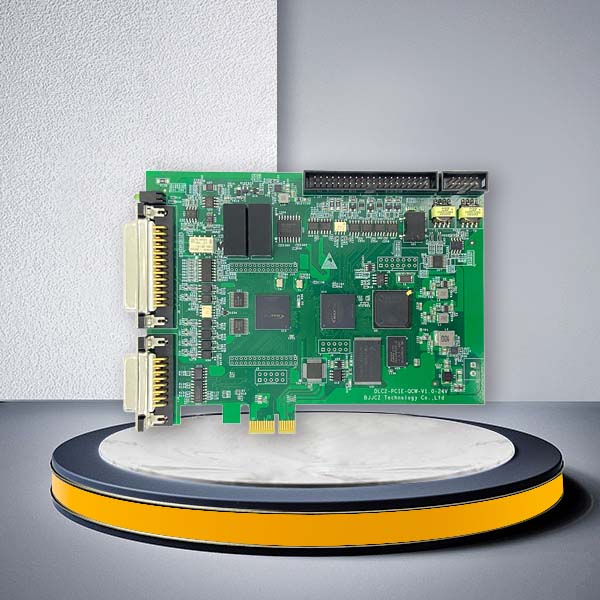
EZCAD3 projects should be matched with a suitable DLC controller according to the communication method, number of heads, I/O requirements, motion axes, galvo configuration and machine architecture.
Possible controller directions include:
- Internal link: DLC2-V2 USB Laser Controller
- Internal link: DLC2-V3 Ethernet Laser Controller
- Internal link: DLC2-V4 Integrated Control Card
Do not select an SDK only by software version. The controller, laser source, galvo scanner, communication architecture and required machine functions must be evaluated together.
Typical B2B Application Scenarios
With the laser marking software SDK, equipment manufacturers and engineering companies can build software around the actual production process rather than requiring operators to switch repeatedly between separate systems.
OEM Laser Marking Machines
Create a branded interface with selected functions, user permissions, parameter presets and machine-specific operating steps.
Automated Traceability Lines
Receive serial numbers, batch codes, dates or database records from the production system and send them to the marking station with less manual data entry.
Dedicated Production Equipment
Develop a simplified interface for one component or process, reducing operator training and preventing unnecessary parameter changes.
Multi-Station Laser Systems
Coordinate supported multi-head configurations for machines requiring several marking positions or higher production capacity.
Customized Processing Equipment
Integrate laser marking, engraving, etching, welding or cutting functions into application-specific equipment where standard software cannot fully represent the required workflow.
Frequently Asked Questions
Who should use this laser marking software SDK?
It is intended for OEM laser machine manufacturers, system integrators, automation engineering companies, industrial software developers and factories building proprietary laser-processing equipment. It is generally not required by operators who only need the standard EZCAD interface.
Can the SDK work without a compatible JCZ controller?
No. The SDK is designed for compatible original controller hardware. Controller origin and model should be verified before purchase.
Does EZCAD2 SDK support the LMC Lite controller?
No. EZCAD2 SDK supports the LMC V4 Standard board; the Lite board is not supported.
Should I select EZCAD2 or EZCAD3?
Choose EZCAD2 for an established x86 or LMC V4 Standard configuration. Evaluate EZCAD3 for a new 64-bit system, multi-head control, enhanced calibration or a more advanced equipment architecture.
Which programming languages are supported?
The standard development options listed for both platforms are C++ and C#.
Are demo projects and documents included?
Demo code and a user manual are available for both versions. Confirm the complete file list and supported development environment in the quotation.
Are multi-head and calibration libraries included?
Availability differs by version. Multi-head support is optional for EZCAD2 and available for EZCAD3, while the high-precision calibration library is an optional EZCAD3 item.
Can JCZ evaluate custom API requirements?
Yes. Submit a detailed list of required functions, controller configuration and production workflow. The engineering team can assess feasibility, required modules, cost and delivery scope.
Build Your Custom Laser Control Application
Tell us what you need to control—not only which SDK you want to purchase. Send your controller model, laser configuration, programming environment, required API functions and automation workflow. Our engineers will help determine the appropriate EZCAD platform, controller and development package.