
Zeus controller integrates laser galvanometer control and motion platform control, and is suitable for various complex large-format laser processing Equipment, such as laser cutting machines, laser engraving machines,laser welding machines, etc.
3D Laser Printing Controller for SLM, SLS, SLA... DLC-3DP 3D laser printing controller is developed for SLM, SLS and SLA. It can control laser galvo scanners with XY2-100 (16-bit), XY2-100 (18-bit), SL2-100 (20-bit) and most types of laser in the market like fiber, CO2, UV, YAG, QCW,SPI...
On the basis of supporting 24V standard welding function, the welding card adds dual beam control. The power of the center beam and the ring beam can be controlled simultaneously, or one of them can be controlled separately. The user can change the power through the position of the track.
MCS2 motion control card is a motion control card specially developed by JCZ for motion control systems. This product is connected to the computer motherboard in the form of an Ethernet interface. Widely used in metal and non metal laser cutting and marking fields.
The Mini 02 series laser coding control systems feature full-coverage metal casings, strong interference resistance, a simple and user-friendly interface, and rich functionality.
The J2000 series laser coding control systems feature full-coverage metal casings, strong interference resistance, a simple and user-friendly interface, and rich functionality.
Standard DB25 connector, can be wire to IPG laser directly. Galvo control signal is digital, which can be connect to most scanhead directly. on-the-fly marking feature.
The JCZ LMCV4 Series Laser and XY2-100 Galvo Scanner Controllers are meticulously crafted for fiber optic, CO2, UV, and SPI laser marking and engraving machines. They seamlessly integrate with EZCAD2 software via USB, offering a streamlined and efficient solution for laser marking and engraving applications.
The MCS series motion controller is an additional product designed to complement the DLC2 series controller. It enhances control capabilities by unlocking potential for up to 6 axes of motion, enabling you to elevate your control capabilities to new heights.
Paired seamlessly with the latest EZCAD3 software, DLC2 is your go-to solution for the automation production line. It excels in various applications such as laser marking, engraving, cleaning, cutting, and welding.
The DLC2-ETH-2D/3D-V4 board is an improved design based on the DLC2-V3.2 version, which optimizes the original network port and some extended functions
DLC2: A USB 2.0 Interface Digital High-Performance Fiber Laser Marking Card, Compatible with Various Leading Digital Galvanometers on the Market, Expandable to 6-Axis Motion Control and Multiple Analog Input and Output Functions.
DLC2: A Digital High-Performance Fiber Laser Marking Card with USB 2.0 Interface, Supporting Various Leading Digital Galvanometers on the Market, Expandable to a 4-Axis Motion Control Board.


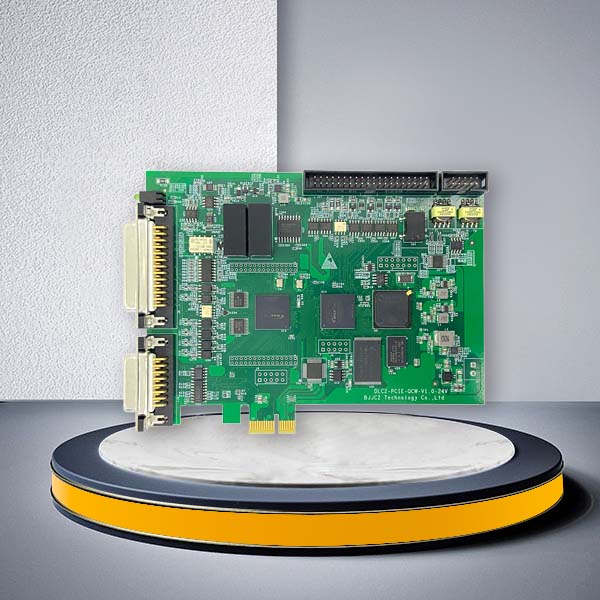


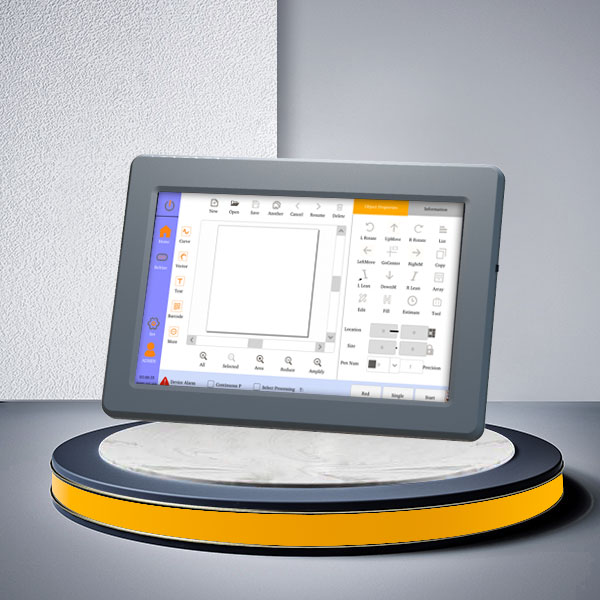
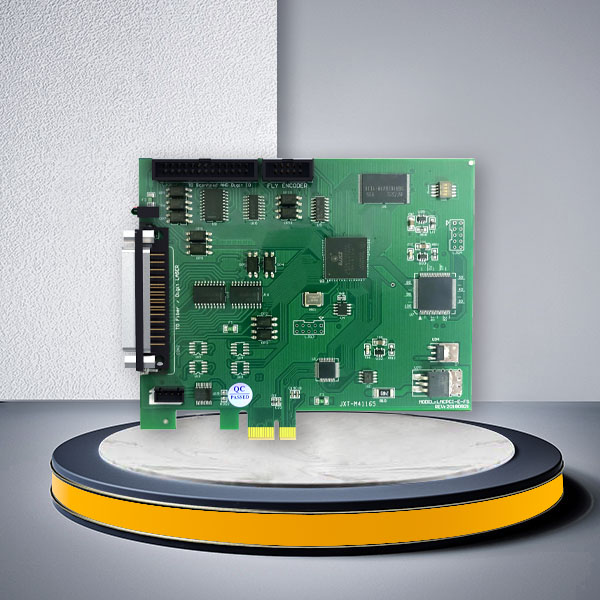

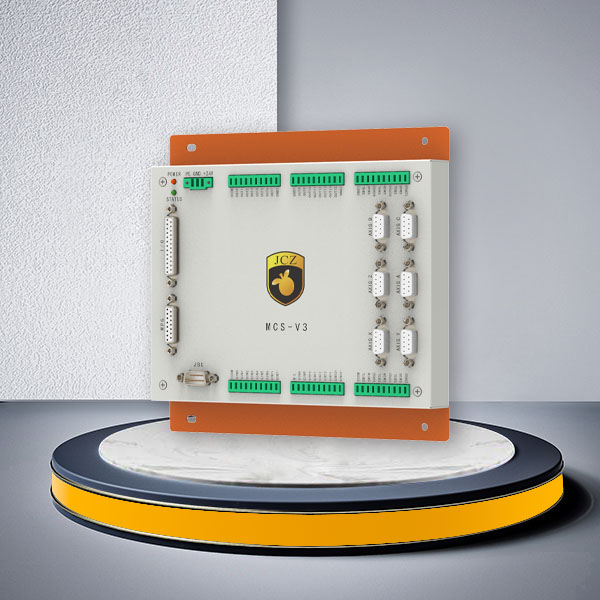
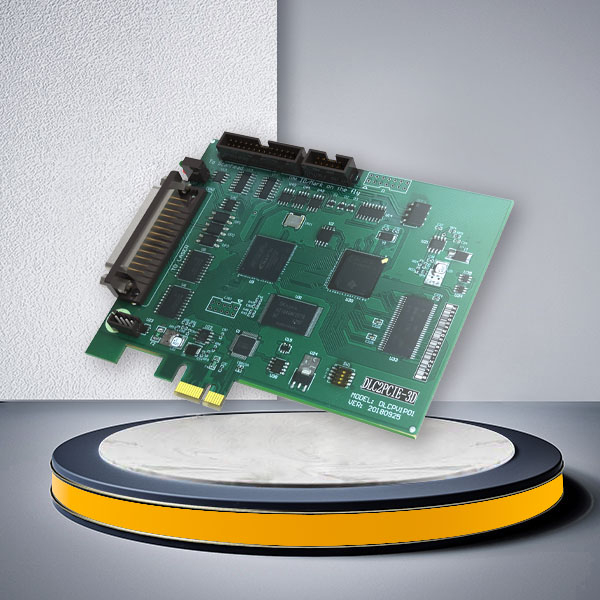
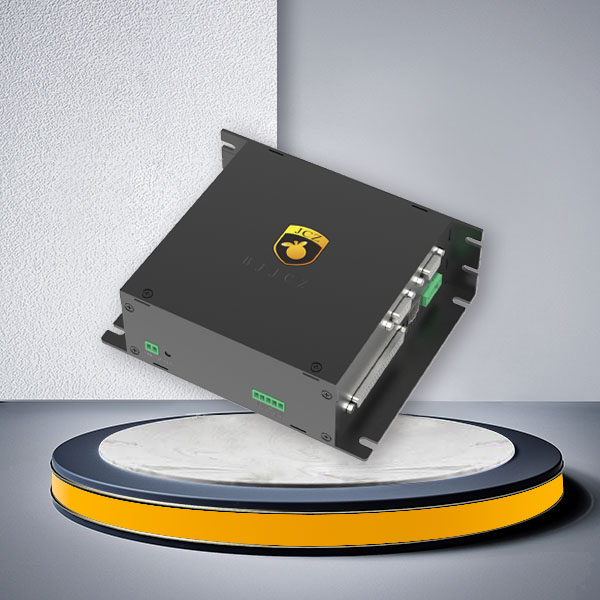
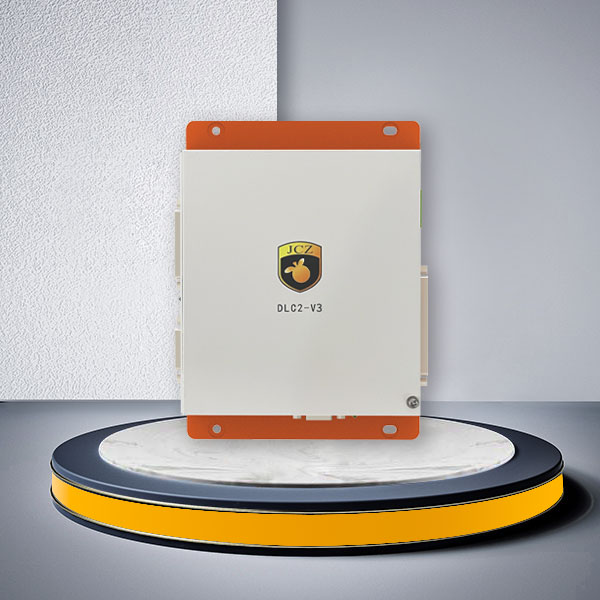

Laser and Galvo Controllers: Efficient Solutions for Marking, Engraving, Cutting, and Welding
JCZ provides laser controller boards and complete control solutions for laser marking, engraving, cutting, welding, fly marking, large-format processing, and laser additive manufacturing. The product range includes LMC controllers for established EZCAD2 systems, DLC controllers for EZCAD3-based OEM and automated equipment, as well as dedicated controllers for laser cutting, high-power welding, production-line coding, and 3D printing.
Choosing a laser controller board should not be based on the board model alone. The correct controller depends on your laser source, galvo scanner protocol, software platform, PC communication method, I/O requirements, motion axes, and final machine application. Use the comparison below to narrow down the appropriate JCZ controller before requesting a quotation.
Compare JCZ Laser Controller Boards
| Controller | Software / System | Connection | Laser / Galvo Direction | Best Suited For |
|---|---|---|---|---|
| LMCV4 | EZCAD2 | USB 2.0 | Fiber version for fiber lasers; digital version for CO2, UV and YAG; SPI version available; digital galvo control | Standard 2D laser marking and engraving machines, replacement projects, and established EZCAD2 systems |
| LMCPCIE | EZCAD2 | PCIe | Fiber and digital versions; digital galvo control | Industrial PCs where the control card is installed directly on the motherboard; standard marking and engraving |
| DLC2-V2 | EZCAD3 | USB 2.0 | Supports mainstream laser types through compatible interface cards; enhanced XY2-100 support | EZCAD3 machines requiring USB connection, industrial I/O, encoder input, fly marking, or motion expansion |
| DLC2-V3 | EZCAD3 | Ethernet / system-dependent configuration | Supports mainstream laser types and galvo configurations; adapter cards available | Automated marking equipment, production lines, conveyors, and multi-controller systems |
| DLC2-V4 | EZCAD3 | Gigabit Ethernet | Fiber, CO2, YAG and UV configurations; supports multiple galvo protocols and expansion options | OEM laser equipment requiring more I/O, encoder feedback, multi-card integration, and motion expansion |
| DLC2-PCIE | EZCAD3 | PCIe architecture | Laser and galvo control with motion expansion | Industrial PC-based EZCAD3 equipment and automation systems |
For a conventional 2D laser marking machine, the LMC series remains a practical choice when the machine is already based on EZCAD2. For a new OEM machine, automated marking station, 3-axis system, or project requiring more I/O and motion integration, the DLC series should be evaluated according to the complete machine architecture rather than simply choosing the newest board.
LMC or DLC Laser Controller Board: Which Should You Choose?
| Requirement | Recommended Direction |
|---|---|
| Existing EZCAD2 marking machine | LMCV4 or LMCPCIE |
| Standard USB-based 2D marking machine | LMCV4 |
| Industrial PC with PCIe connection using EZCAD2 | LMCPCIE |
| New EZCAD3 machine using USB | DLC2-V2 |
| Ethernet-based industrial laser system | DLC2-V3 or DLC2-V4 |
| Production-line integration with sensors and encoders | DLC Series |
| More industrial I/O or future automation expansion | DLC2-V4 |
| Multi-controller or multi-station laser system | DLC2-V3 or DLC2-V4 |
| Custom software or HMI integration | DLC controller + EZCAD SDK, depending on project architecture |
If you are replacing an existing controller, do not select a new board only by software name. Send JCZ the existing controller model, laser source model, galvo scanner model, connection cables, and machine wiring information so the interface requirements can be checked before replacement.
Choose by Laser Source Compatibility
A laser controller board must match the control interface of the laser source, not simply its wavelength or brand.
JCZ controller configurations can be used with common industrial laser technologies including fiber, MOPA fiber, CO2, UV, green, YAG, SPI, QCW/CW, picosecond, and femtosecond lasers. The exact controller and interface configuration should always be checked against the specific laser source model.
| Laser Type | Typical Processing | Controller Selection Direction |
|---|---|---|
| Fiber Laser | Metal marking, engraving, traceability, and industrial identification | LMCV4-FIBER, compatible LMCPCIE configuration, or DLC series |
| MOPA Fiber Laser | Color marking, plastic marking, and pulse-width-sensitive applications | Confirm the exact MOPA laser model and required interface before selecting LMC or DLC |
| CO2 Laser | Plastics, wood, paper, leather, packaging, and non-metal processing | LMC digital configuration or suitable DLC controller/interface |
| UV Laser | Plastics, glass, electronics, and heat-sensitive materials | LMC digital configuration or DLC controller/interface |
| YAG / Green Laser | Application-specific precision processing | Confirm laser model and required control signals |
| SPI Laser | Industrial marking and specialized fiber laser configurations | Matching SPI controller/interface configuration |
| QCW / CW Laser | Laser welding and higher-power processing | Dedicated DLC/QCW configuration should be evaluated |
| Picosecond / Femtosecond Laser | Precision and ultrafast laser processing | Select the controller and interface according to the exact laser source and processing system |
Choose by Galvo Scanner and Protocol
The controller, galvo scanner, and software must use compatible control protocols.
Depending on the selected JCZ controller and configuration, the system can support common industrial galvo architectures including XY2-100 and other supported protocol/interface options. Some DLC configurations can also be integrated with 2D or 3D scan heads and expanded galvo interfaces.
For controller selection, provide:
- Galvo manufacturer and model;
- 2-axis or 3-axis configuration;
- Control protocol;
- 16-bit, 18-bit, or 20-bit requirement where applicable;
- Dynamic-focus requirement;
- Lens focal length;
- Required marking field;
- Existing galvo cable or connector information.
For a standard 2D marking machine, a conventional digital galvo with a compatible LMC or DLC controller may be sufficient. For curved-surface marking, 3D engraving, dynamic focusing, or large-height-difference processing, the controller should be selected together with the 3D scan head and optical system.
USB, PCIe or Ethernet: Select the Controller Around Your Machine Architecture
The communication interface affects control-cabinet design, PC placement, installation flexibility, and future automation capability.
| Connection | Better For | JCZ Options |
|---|---|---|
| USB | Standalone laser marking machines, compact OEM equipment, and straightforward PC-to-controller connection | LMCV4, DLC2-V2 |
| PCIe | Industrial PCs where the controller is installed directly into the motherboard | LMCPCIE, DLC2-PCIE |
| Ethernet | Production lines, centralized industrial PCs, longer installation distances, and network-oriented machine architectures | DLC2-V3, DLC2-V4 |
A USB controller is usually sufficient when the laser machine operates as an independent workstation. Ethernet becomes more relevant when the controller must be integrated into a production cell, conveyor line, or multi-station system. PCIe is useful when the machine builder wants the controller integrated directly inside an industrial PC.

Compare I/O, Encoder and Motion Requirements Before Ordering
For an automated laser machine, the controller may need to communicate with much more than the laser source and galvo scanner.
Typical external devices include:
- Product-presence sensors;
- Start/stop triggers;
- Rotary fixtures;
- Encoders;
- Conveyor systems;
- PLC signals;
- Pneumatic actuators;
- Alarm indicators;
- XY or Z motion stages;
- Safety interlocks;
- Vision systems.
| Controller | Input / Output | Encoder / Motion Direction | Suitable Project Level |
|---|---|---|---|
| LMCV4 | 12 input / 8 output on current listed configurations | Expansion-axis functions available | Standard marking systems |
| LMCPCIE | 12 input / 8 output on current listed configurations | Dual expansion-axis support | Industrial PC-based marking systems |
| DLC2-V2 | 10 input / 8 output | 2 encoder inputs; project-based motion expansion | EZCAD3 USB machines |
| DLC2-V3 | 10 input / 8 output | 2 encoder inputs; multi-card integration | Automated production-line systems |
| DLC2-V4 | 14 input / 8 output | 2 encoder inputs; DLC2-V4-MC4 supports 4-axis control | More complex OEM and automation projects |
Choose a Laser Controller by Processing Application
JCZ’s controller range extends beyond conventional laser marking boards. For specialized equipment, select the controller according to the actual laser processing task.
| Application | Recommended JCZ Direction | Why |
|---|---|---|
| Standard 2D laser marking / engraving | LMCV4 / LMCPCIE / DLC Series | Selection depends on EZCAD version, communication interface, and automation requirements |
| Automated laser marking | DLC2-V2 / DLC2-V3 / DLC2-V4 | Industrial I/O, encoder, and integration capability |
| Fly marking / production-line coding | J2000 or MINI02 | Designed for dynamic coding and moving-product applications |
| Metal laser cutting | MCS-F Series | Dedicated motion-control solution for laser cutting |
| High-power laser welding | DLC2PCIE-QCW Series | Dedicated high-power welding-control functions |
| Large-format laser processing | ZEUS | Integrates galvo and motion-platform control for large-format processing |
| SLM / SLS / SLA laser additive manufacturing | DLC-3DP | Coordinates laser, galvo, extension axes, and sensor feedback |
Software and Secondary Development
JCZ laser controller boards are designed around the corresponding JCZ software ecosystem. EZCAD2 is used with compatible LMC controller configurations, while EZCAD3 is used with DLC controller systems.
For machine builders developing proprietary operating interfaces, factory automation software, or customized equipment, the EZCAD SDK provides APIs and development tools for compatible projects.
This can be relevant when the controller needs to exchange data with:
- Custom HMI software;
- PLC-controlled production equipment;
- MES or traceability systems;
- Machine vision;
- Automated loading equipment;
- Database-driven serial-number or QR-code systems.
Software and API compatibility should be confirmed according to the exact controller and required development environment before project implementation.
Laser Controller Board FAQ
Which laser controller board should I choose for a standard fiber laser marking machine?
For an established EZCAD2-based 2D marking system, the LMCV4 fiber configuration is a common direction. For a new EZCAD3 machine requiring encoder input, additional I/O, automation, or future system expansion, evaluate the DLC series. The final choice should be checked against the exact fiber laser model and galvo scanner.
What is the difference between LMC and DLC laser controller boards?
The LMC series is associated with the EZCAD2 control architecture and is commonly used for conventional laser marking and engraving systems. DLC controllers operate in the EZCAD3 ecosystem and provide options for more advanced I/O, encoder, multi-card, motion, and automation requirements. Select according to the complete machine architecture rather than assuming DLC is required for every application.
Can one laser controller board work with fiber, CO2 and UV lasers?
Some controller families can support different laser types through different board versions or compatible laser interface cards. Compatibility must be checked using the exact laser source model, control signals, and connector/interface requirements.
Can JCZ laser controllers work with XY2-100 galvo scanners?
Multiple JCZ controllers support XY2-100-compatible scanner configurations. However, the exact galvo model, protocol, bit depth, and 2D/3D requirement should be confirmed before ordering.
Should I choose USB, PCIe or Ethernet?
USB is suitable for many standalone marking machines. PCIe is useful when the controller is installed directly in an industrial PC. Ethernet is more suitable for network-oriented equipment, automated production cells, and systems where the controller and PC may be installed separately.
Which controller should I use for fly marking?
JCZ offers controller boards with fly-marking capability as well as dedicated J2000 and MINI02 coding systems. For high-speed production-line coding, provide conveyor speed, encoder information, marking content, laser type, and line-control requirements so the appropriate architecture can be selected.
Do I need a different controller for 3D laser marking?
Potentially. A 3D system must coordinate a compatible 3-axis or dynamic-focus scan head, controller, optics, and software. Do not assume that a board suitable for standard 2D marking can be directly converted into a complete 3D marking system.
Can I replace an existing laser control board directly with a JCZ controller?
Not always. The laser interface, galvo protocol, power supply, I/O wiring, software, encoder signals, and motion-axis configuration must be compared first. Send the existing controller model, wiring information, and cable photos before ordering a replacement.
Does the controller include EZCAD software?
LMC and DLC controllers operate within the corresponding JCZ software ecosystem, but the exact software delivery, version, and licensing arrangement should be confirmed according to the controller model and order configuration.
Can JCZ support custom laser machine software?
JCZ provides an EZCAD SDK for applicable controller projects and can support secondary-development requirements. Send the required operating system, programming environment, hardware architecture, functions, and communication requirements for evaluation.
Build the Controller Around Your Laser Machine
A laser controller board should be selected as part of the complete machine architecture. Laser source compatibility, galvo protocol, software, I/O, motion control, communication method, and automation requirements all affect whether a controller can be integrated successfully.
For a standard marking machine, a simple LMC or DLC configuration may be enough. For an automated production line, multi-station system, large-format processing platform, welding system, or additive-manufacturing machine, the controller should be evaluated together with the laser, scanner, motion hardware, and external devices.


