| Configurations | |
| Software Kernel | 32 Bit |
| Laser | Supports CO2, YAG, FIBER, SPI, etc., and can adjust current, pulse frequency, duty cycle, and other parameters based on different laser parameters through software |
| Red Light Display | Supports red light as an indicator |
| Password Control | Supports password protection to prevent unauthorized parameter changes |
| IO Control | Added port control functionality for easy automation of your machine |
| Galvo Calibration | Traditional trapezoidal correction, barrel (pillow) correction, and parallelogram correction with dedicated calibration software to achieve extremely precise calibration results |
| Fill | Circular fill, arbitrary angle fill, cross fill, adjustable margins, borders, and spacing, supports 3 layers of filling, with independent parameter settings for each layer |
| Editing Functions | Arbitrary curve text, arbitrary graphic drawing/editing, scatter/combine, group/ungroup, undo/redo, welding, trimming, cross, alignment, automatic curve connection, etc |
| Text Input Function | Supports TrueType fonts, single-line fonts (JSF), dot matrix fonts (DMF), SHX, and user-created font libraries |
| 256 Layer Processing Parameters | Highly customizable for easy multi-parameter marking |
| Barcodes and QR Codes | Code39, EAN, PDF417, DATAMATRIX, QR, DATAMATRIX-GS1 etc |
| Vector Files | PLT, DXF, Al, DST, SVG, GBR, NC, JPC, BOT |
| Bitmap Files | BMP, JPG, JPEG, GIF, TGA, PNG, TIF, TIFF |
| Variable Text | Fixed text, date, time, keyboard input, skipping numbers, list files, dynamic files, supports Excel sheets, TXT files, serial communication, and network communication |
| Multi-Language Support | Built-in Chinese, English, Korean, Japanese, French, German; can be easily localized by language packs for translation |
| Optional Features | Dual-axis splicing, flying marking, software secondary development |
EZCAD2 Laser Marking Software for Industrial 2D Galvo Systems
EZCAD2 Software is designed for manufacturers, laser machine builders, system integrators, distributors, and service companies that need a proven control environment for standard 2D galvo laser marking and engraving systems. It brings laser source control, galvo movement, marking data, parameter management, I/O and production functions into one operating interface, helping you build or maintain a practical marking system without developing the entire control platform from the ground up.
For buyers, the real question is not simply “Which laser marking software has more functions?” It is whether the software can work with your controller, laser source, galvo scanner, marking files, variable data and production workflow.
JCZ supports these decisions with software, controller hardware, SDK resources and technical engineers from the same laser-control ecosystem.
Control the Complete 2D Marking Workflow
EZCAD2 Software supports the functions frequently required in industrial part marking, product identification and general laser engraving.
You can create and edit text, graphics and curves, define different fill styles, assign individual processing parameters across up to 256 layers, import vector and bitmap files, generate common 1D and 2D codes, and manage variable information such as serial numbers, dates, time and external data.
Typical marking content includes:
- Logos, symbols and vector graphics
- Fixed and variable text
- Serial numbers and sequential codes
- QR codes and Data Matrix codes
- Production dates and batch information
- Imported Excel or TXT data
- Bitmap images
- Multi-layer jobs with independent parameters
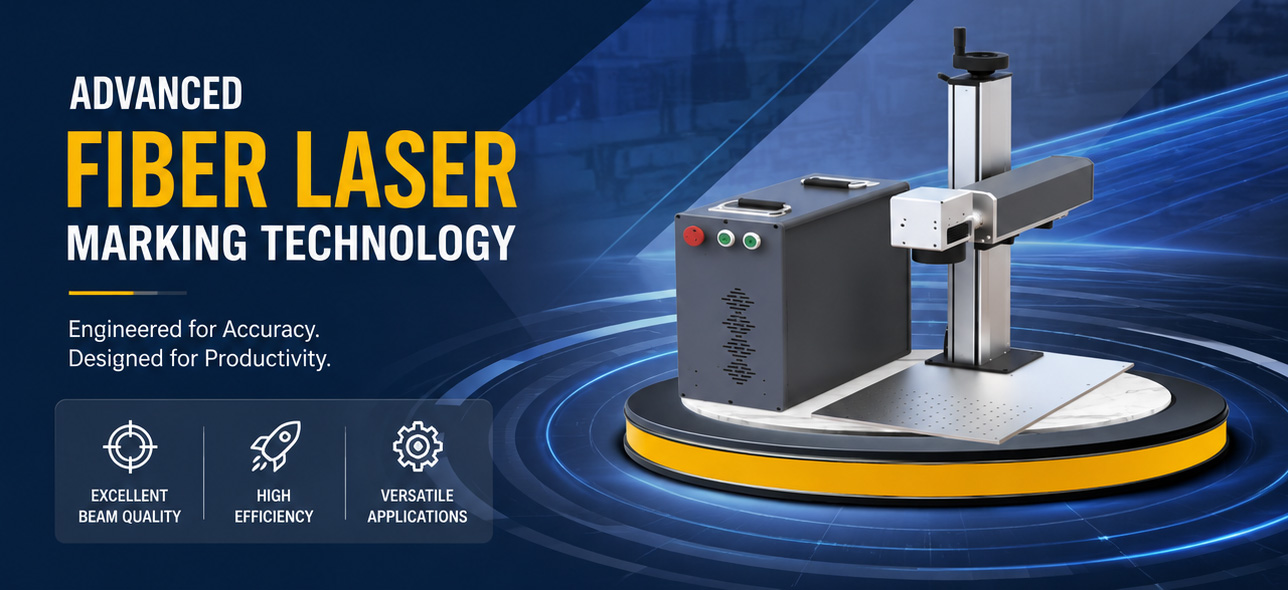
This makes the platform suitable not only as fiber laser marking software, but also as practical galvo laser control software for traceability, identification, branding and industrial production marking.
Flexible File Import for Existing Production Data
A new marking control system should not require your engineering team to rebuild every customer drawing or marking template.
The software accepts common vector formats including PLT, DXF, AI, DST, SVG, GBR, NC, JPC and BOT. Bitmap formats include BMP, JPG, JPEG, GIF, TGA, PNG, TIF and TIFF.
Text functions support TrueType fonts, single-line fonts, dot-matrix fonts, SHX and user-created font libraries.
For OEM equipment manufacturers, engraving-machine builders and industrial users, this gives you more flexibility when handling customer artwork, part drawings, logos, identification templates and existing production files.
Variable Data for Industrial Traceability
The platform is well suited to production environments where individual parts require different identification information.
Variable text can be generated from fixed content, date and time, keyboard input, sequential numbering, list files, dynamic files, Excel sheets, TXT files, serial communication and network communication.
This allows your production or engineering team to create marking workflows for:
- Automotive and mechanical part identification
- Electronics and component marking
- Tool and hardware serialization
- QR code and Data Matrix marking
- Nameplates and rating plates
- Batch and date coding
- Product identification numbers
- Industrial traceability information
Instead of manually changing a marking file for every component, production data can become part of the marking workflow.
More Control Over Marking Parameters
Good laser marking results depend on much more than importing a logo and pressing Start.
EZCAD2 Software provides configurable fill methods, spacing, borders and angles, together with multi-layer filling and independent processing parameters for different layers.
For example, your job may contain text, a logo and a Data Matrix code that require different laser settings. Assigning parameters by layer allows these elements to remain within the same marking file while using different process conditions.
Galvo calibration functions also support geometric correction, while red-light indication can assist positioning and setup when supported by the machine configuration.
For equipment builders and production engineers, this combines marking-file preparation and process control in the same working environment.
From Stand-Alone Marking to Production Integration
Laser marking software is increasingly expected to communicate with the machine around it, not simply control a laser and scanner.
EZCAD2 Software provides I/O-related control functions and can support selected applications involving external triggers, machine signals and production equipment. Optional functions include flying marking and dual-axis splicing.
This can make the control platform suitable for applications such as:
- Stand-alone laser marking stations
- Rotary marking equipment
- Conveyor-based marking
- Product identification stations
- Automated loading and marking cells
- OEM laser marking machines
- Customized industrial equipment
If your project involves conveyor speed, encoder input, sensors, PLC signals, interlocks or other automation requirements, these should be reviewed at the system-design stage rather than after the controller has already been purchased.
Secondary Development for OEM and Automation Projects
For some machine builders, a standard operator interface is not enough.
You may need laser marking functions to operate inside your own HMI, inspection system, MES-connected application or customized automation software.
An SDK is available for compatible controller configurations, allowing developers to integrate marking functions into their own software environment or build customized industrial applications.
This capability is particularly relevant to:
- Laser machine OEMs
- Automation integrators
- Private-label equipment manufacturers
- Production-line engineering teams
- Industrial software developers
- Service companies upgrading existing systems
If secondary development is part of your project, share the required controller, programming environment, application logic and communication requirements before configuration.
Which Projects Are a Good Fit?
This control platform is particularly suitable when your requirement is centered on standard 2D galvo laser marking and engraving.
Typical projects include fiber laser marking machines, UV marking systems, CO2 galvo markers, industrial serialization equipment, QR-code marking stations and customized laser identification systems based on compatible LMC control hardware.
It is a strong choice when your priorities include:
Stable 2D marking control, flexible graphic and text editing, variable production data, multiple laser configurations, industrial I/O, existing-machine replacement, OEM machine development or secondary software integration.
For projects requiring a newer controller architecture, more advanced motion functions or a different level of laser-processing capability, evaluate the next-generation control platform rather than selecting only by familiarity with the older interface.
The objective is not to move every project to the same software. The correct choice depends on what your machine actually needs to control.
A Practical Choice for Laser Machine OEMs
For a machine builder, the value of control software is measured by what happens after the first machine has been assembled.
Can you reproduce the configuration across multiple machines? Can your engineering team identify the correct controller? Can you support variable-data marking? Can you connect external signals? Can you troubleshoot software and controller issues without coordinating between unrelated suppliers?
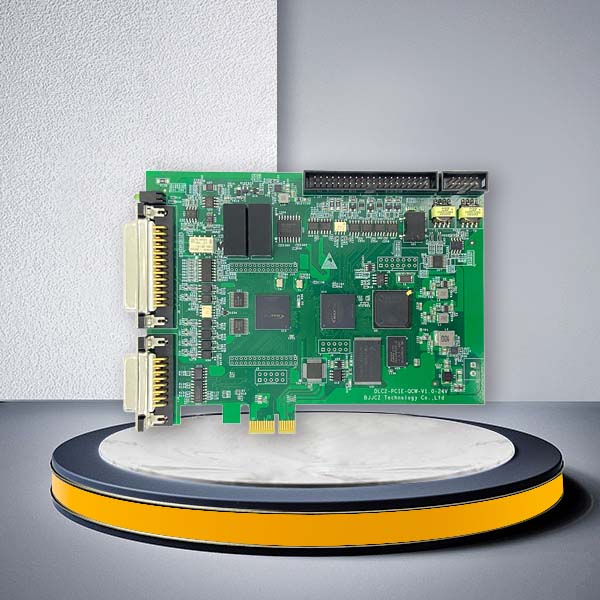
The value of EZCAD2 Software is not limited to the interface itself. JCZ develops laser control software, controller hardware and supporting development tools within the same product ecosystem.
Founded in 2004, JCZ focuses on laser beam delivery and control technology. Its technical organization includes a large proportion of experienced R&D and support personnel, allowing international equipment manufacturers and integrators to communicate directly around control-system requirements.
For B2B customers, this can simplify controller and software matching, replacement-board identification, setup guidance, OEM evaluation, SDK discussions and long-term technical communication.
Who Typically Purchases or Specifies This Control System?
The purchasing decision is often made by more than one person.
Laser machine manufacturers focus on compatibility, repeatability, supply continuity and ease of integrating the system into multiple machine models.
System integrators focus on I/O, communication, variable data, triggering, automation and secondary development.
Distributors need clear product matching, technical documentation and support when serving different machine configurations.
Factory engineering teams care about marking consistency, traceability, replacement availability and integration with production equipment.
Laser equipment service companies need to identify existing hardware correctly and minimize downtime during controller replacement.
Your inquiry should therefore describe the machine and application, not just the software name.
FAQ
Is the software sold separately from the controller?
It is intended for use with compatible original controller hardware. For a new machine, replacement project or retrofit, confirm the controller model and complete system configuration before ordering.
Which laser types can be supported?
Depending on the compatible LMC controller configuration, systems can be built for fiber, CO2, UV, YAG, green and SPI laser sources. Final compatibility should be checked according to the exact laser interface and controller model.
Can it be used for QR codes and Data Matrix codes?
Yes. The marking functions support common barcode and 2D-code formats, including QR and Data Matrix, together with variable information such as serial numbers, dates and externally supplied text.
Can I import my existing design files?
A range of vector and bitmap formats is supported, including DXF, AI, SVG, PLT, JPG, PNG, BMP and TIFF. Send a sample file if compatibility with a specific production format is critical to your project.
Can I connect the marking system to production equipment?
I/O-related functions are available, and selected configurations can support flying marking and additional machine-integration requirements. Provide your trigger, sensor, encoder, interlock and production-line requirements before system selection.
Can we develop our own operator interface?
For compatible projects, an SDK is available to integrate marking functions into your own software or industrial automation environment. SDK configuration should be confirmed according to the controller used in the project.
What information should I provide for a replacement system?
Send the existing controller photos, laser source model, galvo information, cable connections, current software version and a description of the marking application. This reduces the risk of selecting hardware based only on appearance.
Should I choose this platform or the newer control platform?
Use the actual application as the deciding factor. Standard 2D marking systems based on compatible LMC hardware may be well suited to this platform. Projects requiring more advanced processing, motion or a newer controller architecture should be evaluated against the next-generation solution.
Ready to experience the power of EZCAD2 laser control software? Download our free trial to explore all the features and capabilities this advanced software has to offer. Or contact us to schedule a personalized demo and see how EZCAD2 can optimize your laser systems.