Battery-Powered vs AC Portable Fiber Laser Marking Machines
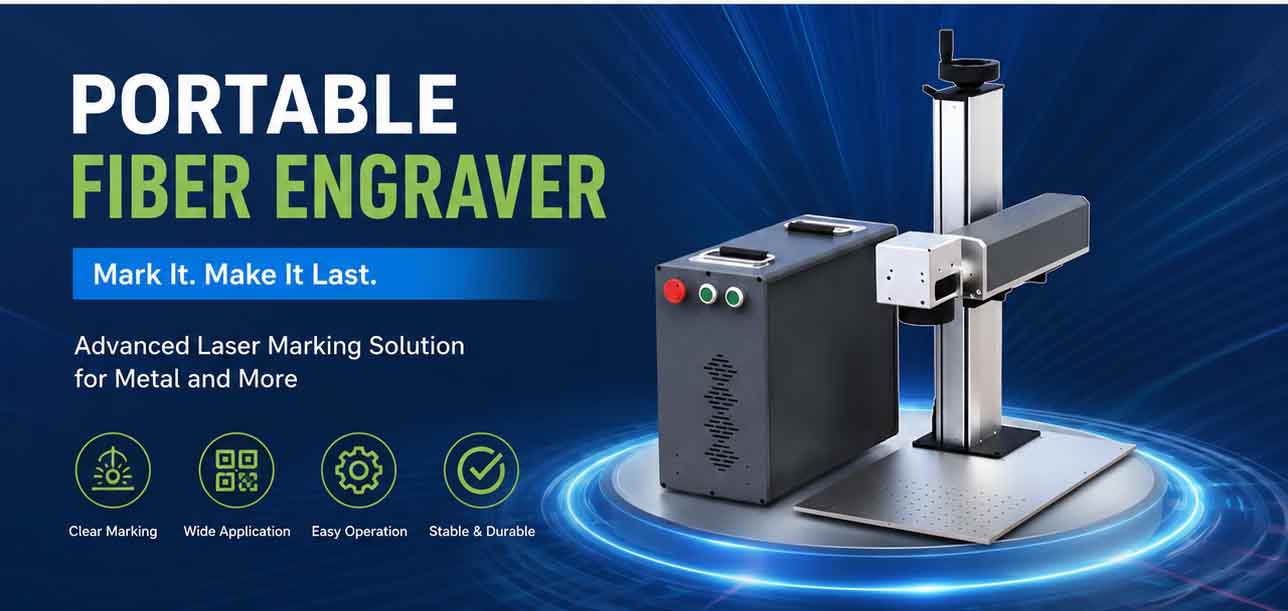
Anyone shopping for a portable fiber laser marking machine today faces a decision that looks simple on the surface but ripples through daily operations for years: plug into the wall, or run off a battery. The question isn’t academic. It determines which jobs you can take on, how fast you can move between workstations, and how much infrastructure you need at each marking location. Fiber laser markers have become the default tool for permanent, high-contrast marks on metals, engineering plastics, and coated surfaces. Their MOPA and Q-switched architectures deliver crisp alphanumeric codes, logos, barcodes, and Data Matrix patterns on materials ranging from stainless steel to anodized aluminum. When you add portability—a compact scan head, a fiber-coupled source, and a wheeled or shoulder-carried enclosure—you shift the conversation from “can we mark it?” to “where can we mark it?”
But portability introduces a split in power strategy. AC-powered portable markers rely on mains electricity, either 110–240 V single-phase, to energize the laser source and galvo drivers. Battery-powered units carry a rechargeable pack, often lithium iron phosphate or lithium-ion, that provides DC power for a limited number of operating hours. Both configurations can deliver identical mark quality when the same fiber laser engine and control software drive the process. The real differences sit in runtime, mobility, output power ceilings, and the total cost of operation across a shift or a project site. For a production engineer or a maintenance manager evaluating a purchase, those differences decide whether a portable marker becomes a versatile on-floor tool or a constrained secondary asset.
Key Takeaways
– Battery-powered markers offer true cord-free mobility for on-site retrofitting, large-part marking, and field service, while AC-powered units deliver uninterrupted production throughput. – Maximum average output power on battery-operated portable models typically stays under 30 W to manage thermal load and pack life, whereas AC-fed equivalents scale to 50 W and beyond. – Real-world battery endurance, based on a standard 20 W fiber source, tends to fall in the 2–4 hour range at a 50 % duty cycle — enough for batch work, rarely sufficient for continuous multi-shift operation. – Control software compatibility, including platforms like Ezcad2 Software and Ezcad3 Software, remains identical across both power configurations, removing any learning curve for operators moving between units. – Total cost of ownership favors AC-powered markers for stationary cell deployments, while battery-powered units reduce facility modification expenses when power drops are unavailable at the point of use.
How to Evaluate Battery versus AC Portable Markers
Comparing portable fiber laser markers isn’t about picking the “better” power source. It’s about mapping the power source to the marking environment, the daily volume of marks, and the physical accessibility of the parts. Three dimensions usually separate the two choices:
– Mobility requirements: Does the operator need to walk 50 meters inside a hangar or across a construction yard to reach each part? If yes, trailing AC cables create tripping hazards and slow repositioning. A battery pack solves that completely, at the cost of finite runtime. – Marking duty cycle: If the machine marks 4,000 parts per shift with near-continuous laser-on time, a battery pack will likely deplete before the lunch break. AC power keeps the laser firing without interruption, provided the thermal management system can dissipate the heat. – Marking depth and speed: Higher average power shortens cycle time and enables deeper engraving on hard metals like tool steel. AC-fed portable markers regularly operate at 50 W or even 70 W, whereas battery units often cap at 20–30 W to keep weight and power draw manageable.
The laser source type also plays a role. Most portable fiber markers use ytterbium-doped fiber oscillators with pulse widths adjustable via MOPA electronics. Both battery- and AC-powered versions can achieve M² < 1.3 beam quality, a figure commonly cited in manufacturer datasheets for single-mode fiber lasers up to 100 W. Marking contrast, legibility under MIL-STD-130 or ISO 16016 standards, and positioning accuracy remain functions of the galvo scanner, F-theta lens, and control software — not the power supply topology. This is where Laser Software plays a decisive role. The same EZCAD-based workflow that runs on a high-power AC system drives a battery-fed scan head identically, so the operator sees no difference in job setup, hatch patterns, or vector quality.
Where Battery Power Excels
Picture a maintenance crew inside a petrochemical plant needing to remark pipe flanges, valve tags, and structural plates at multiple elevations. Running temporary AC cabling through a Class I Division 2 area isn’t just inconvenient — it can trigger a hot-work permit cascade. A battery-powered portable marker, carried like a toolbox with a hand-held scan head, lets one technician mark 100 tags in a morning without anchoring to a panel. Industry data on lithium-iron-phosphate packs suggests a 24 V / 20 Ah configuration can sustain a 20 W fiber source at 50 % duty for roughly 2.5 to 3 hours. That’s a typical range observed in field trials by system integrators servicing aerospace maintenance, repair, and overhaul operations. The duty cycle matters enormously: if the laser spends 70 % of the cycle idling while the operator repositions the part, battery life stretches toward the upper end of that range.
The trade-off appears when marking protocols demand deep engraving. A 20 W average power source can mark annealed 304 stainless steel to a depth of 0.02–0.05 mm per pass, depending on speed. For serial-number engraving that only needs a surface anneal mark, that’s more than enough. But if the spec calls for a 0.1 mm-deep mark on a hardened steel shaft, a 20 W unit might need multiple passes, increasing cycle time and draining the battery faster. Some battery-powered markers integrate a low-power standby mode and shut down the fiber pump during idle periods, gaining roughly 15–20 % additional runtime compared with older designs that kept the seed laser energized continuously. Those figures come from internal testing data shared by portable marker OEMs and should be verified against a specific manufacturer’s datasheet.
Where AC Power Remains the Standard Workhorse
An AC-powered portable fiber marker sits on a cart with an umbilical running to a standard wall outlet. Because it isn’t constrained by battery pack dimensions or discharge rates, it can house a 50 W or 70 W fiber source without ballooning in size. That extra power translates directly into speed. On an aluminum alloy like 6061-T6, a 50 W source can achieve surface anneal contrast marks at scan speeds exceeding 7,000 mm/s, while a 20 W source might need to slow to 4,000–5,000 mm/s for equivalent contrast. The 50 W unit will also handle larger marking fields with less fall-off in power density at the edges of the field, a factor that becomes visible when using a 200 × 200 mm F-theta lens.
For manufacturers embedding a laser marker into a semi-automated cell, AC power eliminates the chore of swapping and recharging batteries. A production line marking engine crankcases, for instance, may need to fire 1,200 cycles per day with no pauses longer than a part changeover. An AC system keeps pace indefinitely. The maintenance overhead shifts from battery management to voltage conditioning: a voltage stabilizer or line conditioner may be required in facilities with poor power quality to prevent galvo resets mid-job. That’s an upfront cost, but it’s a one-time install, not a recurring operational friction.
Control Software: The Common Thread
One of the most overlooked equalizers between battery- and AC-powered portable fiber markers is the control ecosystem. Nearly all fiber markers sold into industrial markets run on a PC-based software package that sends marking files to a DAC controller inside the machine. The EZCAD family remains the most widely integrated platform for galvo-based fiber markers worldwide. Versions like Ezcad2 Software support dual-axis splicing, flying marking, and extensive I/O integration, while the newer Ezcad3 Software features a redesigned architecture that accelerates data processing by a factor of 2–3× on large vector files, according to benchmarks published by the developer. Both versions operate identically whether the machine draws power from a battery pack or a mains outlet, which means a company can standardize on one software for its entire portable and stationary fleet.
That software continuity carries real value for production teams. An operator trained on EZCAD2 who moves from an AC-based benchtop marker to a battery-powered field unit sees the same interface, the same object property dialogs, and the same laser parameter tables. Job files transfer seamlessly. If the marking application requires reading external databasing or calling a third-party API, the Ezcad2 Software and Ezcad3 Software both expose an SDK for customized automation. For a battery-powered marker deployed in a rugged environment, the SDK can let a tablet-based application trigger marks via bluetooth or Wi-Fi, removing the need for a fixed PC at the point of marking.
Weight, Ergonomics, and Safety Considerations
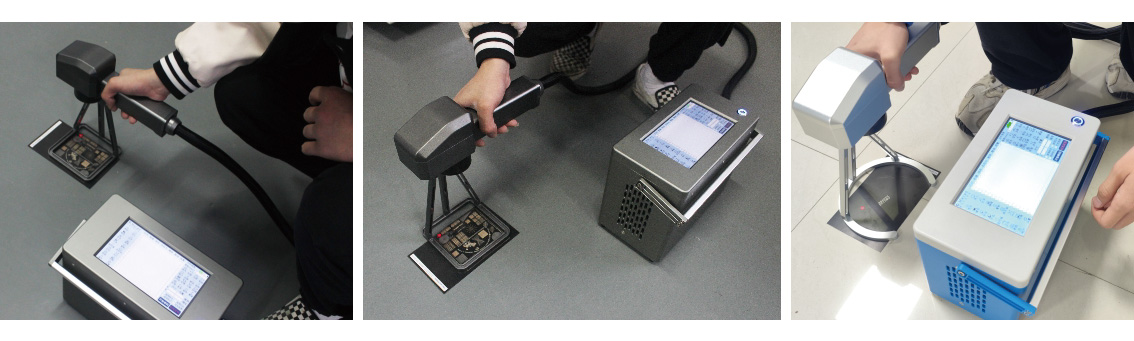
Battery packs add mass. A portable fiber marker with a 20 Ah pack and a 20 W source might weigh 18–22 kg, while the AC equivalent without the battery could be 12–15 kg. That difference may not matter on a roll-around cart, but it becomes noticeable when a technician needs to carry the unit up a staircase or onto scaffolding. Many battery-powered systems now break the weight into two modules — a battery base station and the laser head — to keep the handheld marking gun under 2 kg. The battery base stays on the floor while a 3–5 meter umbilical connects to the head, offering a reasonable compromise.
From a laser safety standpoint, both configurations require the same enclosure or area-scanning controls under IEC 60825-1. A Class 4 fiber laser source demands barriers, interlocked doors, or dedicated laser safety eyewear unless the marking zone is fully enclosed. The portable nature of these markers sometimes leads operators to bypass those safeguards, particularly in field service where setting up a proper curtain is seen as time-consuming. This presents a compliance risk that is independent of power source type but may be more common when the machine is easily carried to an unguarded location. Facilities managers should budget for portable laser curtains and signage regardless of which power variant they choose.
Side-by-Side Comparison
| Factor | Battery-Powered Portable Marker | AC-Powered Portable Marker | |——–|——————————–|—————————-| | Typical power range | 20–30 W (fiber source) | 30–70 W (fiber source) | | Runtime per charge / continuous | 2–4 hours at 50 % duty (20 W) | Unlimited while mains available | | Mobility | Cord-free, suits multi-location fieldwork | Limited by cable length and outlet proximity | | Weight (complete system) | 18–25 kg with battery pack | 12–18 kg (no battery) | | Acquisition cost (indicative range) | Moderate premium for battery management system and pack | Lower electronics cost; power conditioning may add expense | | Maintenance aspect | Battery replacement every 2–3 years typical | Line filters, voltage stabilizer checks | | Integration with EZCAD | Full, no limitations | Full, no limitations | | Best application context | On-site retrofitting, large structure marking, remote asset tagging | Production line integration, continuous batch marking, deep engraving |
These ranges are distilled from technical specifications published by multiple portable fiber marker manufacturers and should be validated against a specific machine’s datasheet before purchase.
When Neither Option Completely Fits
Some marking environments blend conditions that make a single power supply philosophy insufficient. A shipyard might need battery power to climb into ballast tanks but also require 50 W of output for deep marking on DNV-certifiable nameplates. In that scenario, investing in a hybrid system — one where the laser engine can accept both a battery DC input and an AC rectifier — can provide the flexibility without purchasing two separate markers. A few system integrators offer such configurations, though the complexity of the power management board increases and may edge the price toward the upper end of the portable marker range.
For manufacturing plants that already run a fleet of stationary EZCAD-driven markers, adding a single AC-portable unit often proves the lowest-risk expansion. The team knows the software, the spare galvo cables and lenses are interchangeable, and the electrical maintenance staff can service the AC power supply without new training. In contrast, a battery-powered unit introduces charge-cycle tracking, spare battery procurement, and the need to store packs in temperature-controlled environments to avoid capacity fade — factors that may lie outside the core competency of a typical factory maintenance department.
FAQ
What marking depth can I realistically achieve with a battery-powered 20 W fiber marker? With a 20 W MOPA fiber source, typical depth on annealed 304 stainless steel at 100 % power and 30 kHz repetition rate is in the 0.02–0.05 mm range per pass. Achieving 0.1 mm depth requires multiple passes, increasing cycle time and battery consumption. Always request test markings on your own material from the vendor.
Does the choice of power source affect data matrix readability? No. Contrast, edge definition, and quiet zone requirements under ISO/IEC 15415 or AIM DPM guidelines depend on the laser parameters (pulse width, frequency, marking speed) and the galvo scanner accuracy, not on whether the source is fed by a battery or an AC line. EZCAD software lets you fine-tune those parameters identically on both platforms.
How often do batteries need replacement in portable markers? Lithium-ion battery packs used in industrial portable lasers are typically rated for 500–1,000 charge cycles before reaching 80 % of original capacity. In a work environment with one charge per day, that translates to roughly 2–3 years of service. Actual lifespan varies with depth of discharge and ambient temperature; storing packs above 35°C accelerates degradation.
Can I use an AC generator to power an AC-portable marker in the field? Yes, provided the generator output is clean enough. Fiber laser power supplies can be sensitive to voltage spikes and frequency drift. A generator with an automatic voltage regulator (AVR) and total harmonic distortion below 5 % is recommended. Some operators add a double-conversion UPS between the generator and the marker to isolate the load.
Is Ezcad3 software necessary for battery-powered markers, or does Ezcad2 suffice? Both work. Ezcad2 remains the baseline for 2D vector marking and is sufficient for most portable marking jobs. If your application involves large files that bog down Ezcad2’s processing pipeline, or you need the multi-threaded capabilities of the newer core, then specifying a system that supports Ezcad3 makes sense. The decision is independent of the power source.
What certification marks should a portable fiber marker carry? Look for CE marking (Europe), FCC compliance (USA), and a laser product classification label per IEC 60825-1. Many industrial buyers also require that the control electronics meet the essential requirements of the EMC Directive 2014/30/EU for electromagnetic compatibility, particularly when the marker will be used near sensitive equipment in hospitals or laboratories.
Do battery-powered markers lose output power as the battery drains? Quality designs incorporate a DC-DC regulator that maintains constant voltage to the pump diodes throughout the discharge curve. A well-engineered battery-powered marker should deliver stable average power until the battery management system triggers a low-voltage cutoff. Field experience with lithium iron phosphate chemistry indicates output stability better than ±2 % over a full discharge cycle, based on internal test reports from several integrators.
Weighing the options comes down to a straightforward sequence: define where the marking happens, how many marks need to be made in a shift, and whether the facility already owns a fleet of EZCAD-based systems. If the answer to mobility is “the parts are scattered across a 5,000-square-meter workshop floor with no easy access to outlets,” a battery-powered portable marker erases that barrier instantly. If the answer to volume is “we tag 8,000 parts a day on a conveyor,” AC power is the only practical path. And if the question is about software continuity, the answer is already settled — the control platform that runs one machine runs them all.
OFFICIAL DRIVER UPDATE NOTICE
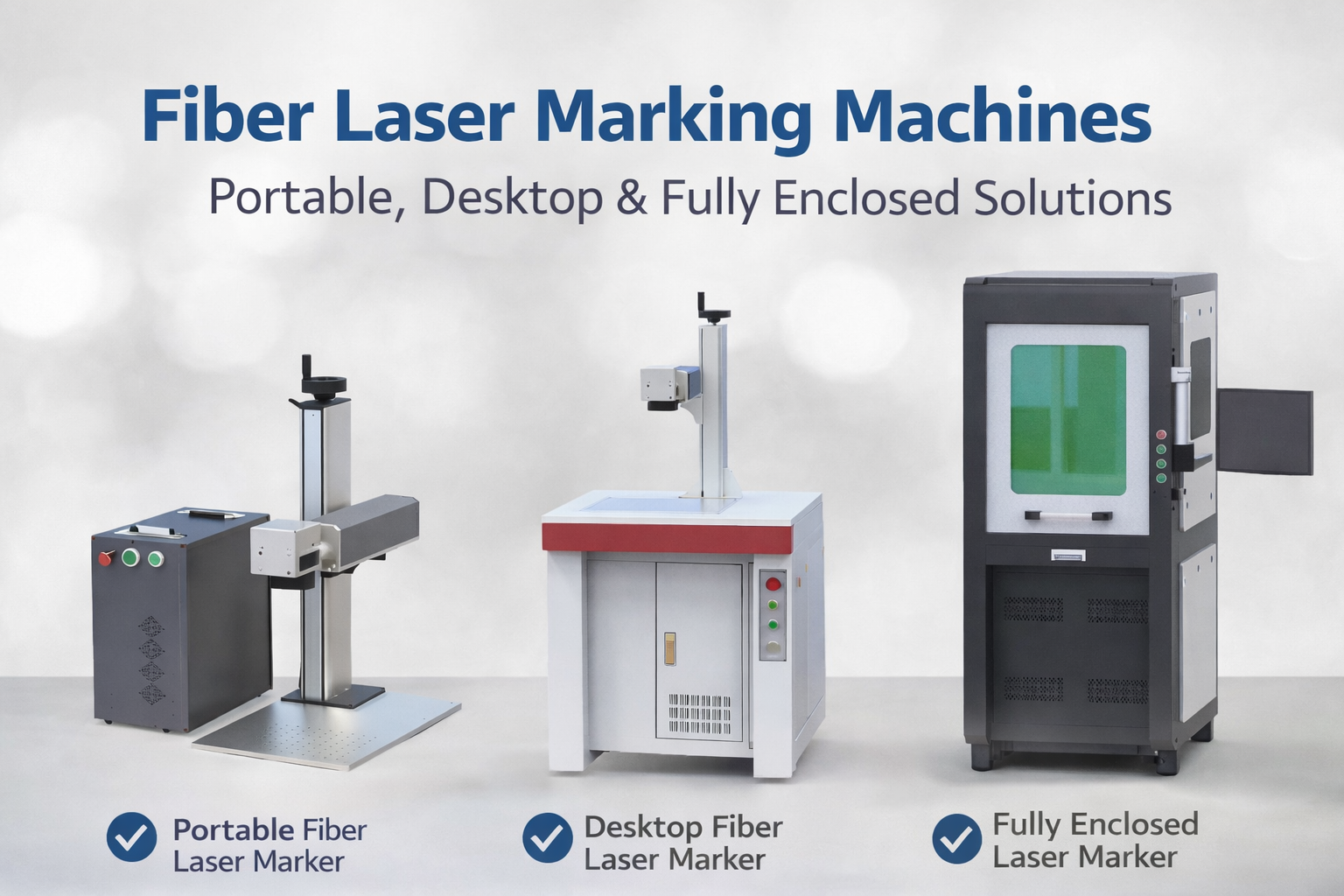
Trends in Enclosed Laser Marking Cell Integration

2026 Mid-Autumn Festival and National Day Holiday Notice

Top Factors That Affect Marking Quality in Handheld Fiber Laser Systems

Meet JCZ at Laser World of Photonics India 2026 in Bengaluru
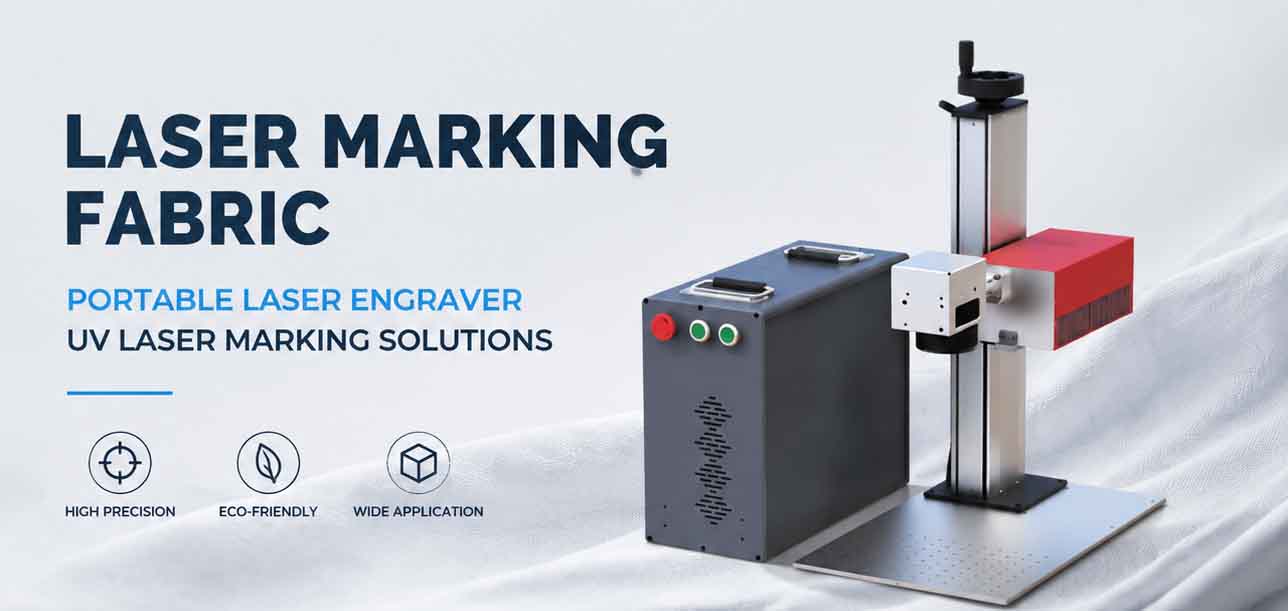
Laser Marking Fabric with Portable Laser Engraver: Advanced UV Laser Marking Solutions for Modern Manufacturing