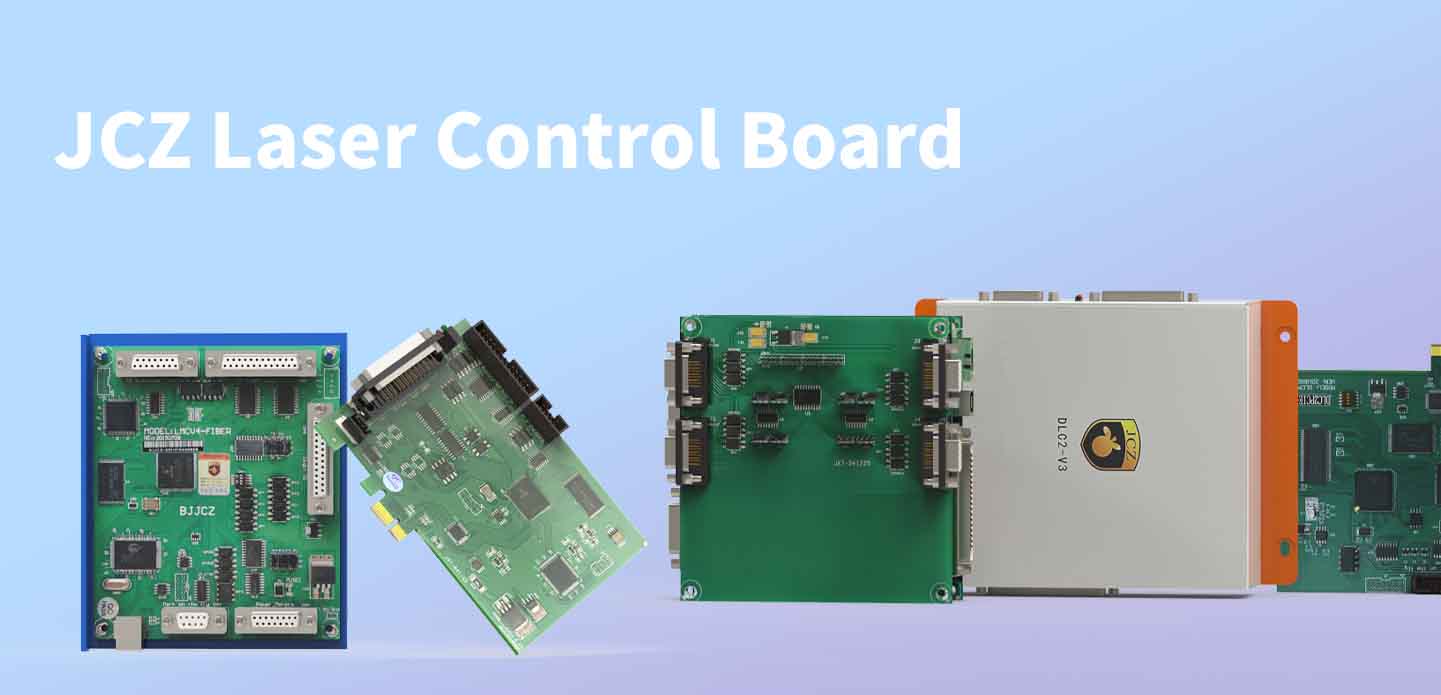
When it comes to high-performance laser control boards for marking, engraving, and cutting systems, JCZ (Beijing JCZ Technology Co., Ltd.) leads the industry with its powerful and stable hardware solutions. Their advanced laser engraver control board product lines – the LMC series and the DLC series – are widely used in CO₂, fiber, UV, green, and other laser systems across global markets.
Whether you’re developing a basic laser marking station or a complex automated engraving platform, choosing the right JCZ control card ensures seamless operation and software compatibility.
LMC vs DLC at a Glance
| Requirement | LMC + EZCAD2 | DLC + EZCAD3 |
|---|---|---|
| Main positioning | Standard 2D galvo marking | Advanced 2D/3D and automated laser systems |
| Software | EZCAD2 | EZCAD3 |
| Typical machine | Standard fiber, CO₂, UV or SPI marking machine | 3D marking, dynamic focus, automated or motion-integrated systems |
| USB architecture | Yes | Available |
| Ethernet architecture | Limited by controller model | Available on suitable DLC models |
| PCIe architecture | LMCPCIE | DLC2PCIE |
| Standard 2D marking | Strong fit | Supported |
| 3D / dynamic focus | Not the primary positioning | Better suited with compatible 3D hardware |
| Encoder / flying marking | Project dependent | Wider project options depending on controller |
| Motion expansion | Basic machine requirements | More suitable for advanced motion projects |
| Custom software | EZCAD2 SDK for compatible projects | EZCAD3 SDK for compatible projects |
| Best fit | Mature standard machine platform | New machine development and advanced integration |
EZCAD3 and EZCAD2 use different controller architectures. An existing LMC controller cannot simply be switched from EZCAD2 to EZCAD3; compatible DLC hardware is required for an EZCAD3 system.
LMC Series Laser Control Boards – Optimized for EZCAD2
The LMC series is the most mature and widely adopted laser control board lineup from JCZ. Designed specifically to work with EZCAD2 software, this series supports a broad range of laser types including:
Fiber lasers (IPG, Raycus, JPT, etc.)
CO₂ lasers (DC and RF types)
UV lasers
Green lasers
Key Models:
LMCV4-FIBER: For fiber lasers
LMCV4-CO2: For CO₂ lasers
LMCV4-USB and LMCV4-PCIE: USB and PCIe interface options for different system integration needs
Core Features of LMC Series:
Real-time laser path control
Multi-layer marking and object grouping
I/O control for automation integration
Support for rotary axis and 3D marking (with appropriate expansion)
The LMC + EZCAD2 combination is renowned for its reliability, flexibility, and cost-effectiveness, making it the first choice for most industrial laser engraving machines worldwide.
DLC Series Laser Control Boards – Next-Gen Power with EZCAD3
As demands grow for higher speed, 3D capability, and 64-bit software environments, JCZ developed the DLC series, designed to work with its new-generation software EZCAD3.
EZCAD3 is based on a more modern architecture, offering support for:
True 3D engraving and curved surface mapping
Multi-layer complex object rendering
64-bit system performance
High-speed and large-data processing
Key Models in DLC Series:
DLC2-V2, DLC2-V3, DLC2-V4, DLC2-PCIE, Paired seamlessly with the latest EZCAD3 software, DLC2 is your go-to solution for the automation production line. It excels in various applications such as laser marking, engraving, cleaning, cutting, and welding.
Advantages of the DLC Series + EZCAD3:
Enhanced motion control (supports axis systems)
Real 3D laser control and correction
Better compatibility with industrial vision and smart systems
Suitable for high-end automated production lines
If you’re looking for a laser engraver control board capable of handling future-ready tasks like automation, 3D dynamic marking, and AI-based workflows, the DLC + EZCAD3 platform is your best bet.
JCZ Control Boards: Designed for Versatility & Integration
All JCZ control cards offer robust SDKs, open interfaces, and stable APIs for secondary development. They support integration with:
PLCs and motion controllers
Vision systems
Barcode readers and automation devices
Cloud-based production control software
No matter if you’re using a laser control board for metal engraving, plastic marking, or complex multi-axis applications, JCZ provides the control precision and software synergy you need.
Summary of JCZ Control Boards:
| Series | Software | Laser Type Support | Notable Features |
|---|---|---|---|
| LMC | EZCAD2 | Fiber, CO₂, UV, Green | Mature, stable, widely used |
| DLC | EZCAD3 | All mainstream types | 3D support, high-speed, automation-ready |
LMCV4 or LMCPCIE?
Communication architecture is another decision within the LMC platform.
LMCV4
Use LMCV4 when your machine uses a USB-connected controller and a conventional PC-based EZCAD2 architecture.
A typical system may be:
Industrial PC → USB → LMCV4 → Laser Source + Galvo + I/O
This is suitable for many standalone laser marking machines where the controller and industrial computer are installed within the same machine.
LMCPCIE
Use LMCPCIE when your equipment architecture requires the controller to be installed directly in a compatible industrial PC through PCIe.
LMCPCIE remains an EZCAD2 controller. It does not become an EZCAD3 controller because it uses PCIe; EZCAD3 requires compatible DLC hardware.
This distinction is important when you are redesigning an existing machine cabinet or standardizing the industrial computer used across several equipment models.
DLC Series: Built for More Complex Machine Architectures
The DLC platform works with EZCAD3 and provides a broader base for machine developers working with more complex control requirements.
Rather than choosing DLC simply because it is the newer family, consider it when your product roadmap includes requirements such as:
3D galvo control, dynamic focus, encoder-based processing, production-line integration, network communication, additional motion axes, larger I/O requirements, multi-controller systems or proprietary equipment software.
EZCAD3 is supplied with compatible DLC controller hardware and supports advanced 2D/3D processing, dynamic focus, motion expansion, variable production data and project-based automation integration.

DLC2-V2, V3, V4 or PCIe?
The DLC family should not be treated as a single controller. Machine architecture determines which version is appropriate.
DLC2-V2: USB-Based EZCAD3 Machine Architecture
The DLC2-V2 is a useful direction when you want to move to an EZCAD3 system while keeping a USB-based controller architecture.
It can coordinate compatible laser sources, galvo scanners, industrial I/O and encoder signals, and it supports project-based functions such as flying marking, offline marking and motion expansion.
The board supports enhanced XY2-100 three-axis scanhead communication. Actual 3D capability still depends on the scanhead, optics, controller configuration, calibration and EZCAD3 setup.
Consider DLC2-V2 when:
your machine uses EZCAD3, USB is suitable for the cabinet design, encoder input or industrial I/O is required, the machine may use X/Y/Z scanner control, or future motion expansion is expected.
DLC2-V3: For Ethernet and More Networked Integration
The DLC2-V3 moves the machine architecture toward Ethernet-based integration.
Published specifications include encoder inputs, 10 input channels, 8 output channels, network communication and multi-card connection capability. It can also use different adapter cards for compatible laser-source configurations.
This makes DLC2-V3 particularly relevant when you are designing:
automated marking cells, conveyor-integrated systems, production equipment connected to a central industrial PC, multiple marking stations or machines where the controller cannot be located close to the host computer.
For an equipment manufacturer, Ethernet is not simply another connector. It can affect cabinet layout, service access, controller placement and future production-line integration.
DLC2-V4: Higher Expansion Capability
The DLC2-V4 should be evaluated when the machine requires a higher level of I/O, network connectivity or motion expansion.
The published DLC2-V4-MC4 configuration includes Gigabit Ethernet, two encoder inputs, 14 input channels, 8 output channels and four-axis control. It also supports several mainstream galvo communication directions depending on the system configuration.
This makes it a stronger candidate for equipment such as:
multi-axis laser systems, dynamic-focus equipment, highly automated marking stations, custom processing equipment and machines that need additional mechanical motion coordinated with laser scanning.
DLC2PCIE: Controller Integrated into the Industrial PC
The DLC2PCIE direction is intended for projects where the machine manufacturer prefers a PCIe-based EZCAD3 controller architecture.
This can be useful when the industrial computer and control hardware are designed as one integrated machine-control unit.
The final choice should still be made according to the laser interface, galvo configuration, required I/O, motion axes and processing function rather than communication interface alone.
Typical Machine Configurations
Standard Fiber Laser Marking Machine
A conventional machine may use:
EZCAD2 + LMCV4-FIBER + Fiber Laser + 2D Digital Galvo + F-Theta Lens
This is a practical architecture for standard industrial identification, serial numbers, QR codes, Data Matrix, logos and conventional metal marking.
UV or CO₂ Galvo Marking Machine
A standard UV, CO₂, YAG or green-laser marking system may use:
EZCAD2 + LMCV4-DIGIT + Compatible Laser Source + Digital Galvo + Matching Optical System
Note that LMCV4-DIGIT is designed for galvo-based laser systems. It should not be confused with a motion controller for conventional gantry CO₂ cutting or engraving equipment.
EZCAD3 USB-Based Machine
For a machine requiring EZCAD3 but retaining a relatively straightforward USB-based architecture:
EZCAD3 + DLC2-V2 + Compatible Laser Interface + 2D/3D Galvo + I/O/Encoder as Required
Networked Automated Marking System
For a production machine requiring Ethernet, encoder input, external I/O and broader automation integration:
EZCAD3 + DLC2-V3/V4 + Laser Source + Galvo + Encoder + PLC/I/O + Motion System
The exact controller should be determined from the project rather than from the machine name alone.
Why Machine Manufacturers Standardize Around a Control Platform
For an equipment manufacturer, controller selection affects more than the performance of one machine.
It also affects engineering documentation, electrical design, software maintenance, spare parts, technician training and after-sales support.
Using the same control-platform family across several machine models can simplify these tasks.
JCZ provides both the controller hardware and the EZCAD software environment, together with laser controllers, EZCAD software and SDK development options.
This gives equipment manufacturers the option to build different machine levels around related JCZ control architectures rather than treating each controller as an unrelated component.
Frequently Asked Questions
Is DLC always better than LMC?
Not necessarily. LMC + EZCAD2 remains suitable for many standard 2D marking machines. DLC + EZCAD3 should be considered when your equipment requires advanced 3D processing, network communication, motion expansion or more complex automation.
Can EZCAD3 work with an LMC board?
No. EZCAD3 requires compatible DLC controller hardware. LMC controllers belong to the EZCAD2 architecture.
Which LMC board should I use for a CO₂ or UV marking machine?
For compatible CO₂, UV, YAG and green galvo marking systems, evaluate LMCV4-DIGIT. Confirm the exact laser source interface and galvo before ordering.
When should I choose DLC2-V2 instead of DLC2-V3?
DLC2-V2 is appropriate when a USB-based EZCAD3 architecture meets the project requirements. DLC2-V3 is more appropriate to evaluate when Ethernet communication, multi-card connection or more network-oriented integration is required.
When should I consider DLC2-V4?
Consider DLC2-V4 when your machine needs higher I/O capacity, Gigabit Ethernet, encoder inputs or expanded motion-control capability. Final selection depends on the exact DLC2-V4 configuration and machine requirements.
Can JCZ controllers be integrated into our own machine software?
Compatible projects can use the EZCAD SDK for secondary development. The appropriate SDK, controller and software architecture should be selected together according to your HMI, automation and machine-control requirements.
Choose the Controller Around the Machine You Plan to Sell
The most appropriate JCZ laser control board is not determined by which model has the largest specification sheet.
For a standard 2D marking machine, the LMC + EZCAD2 architecture may provide the straightforward platform you need.
For a new equipment platform involving 3D processing, Ethernet, encoder synchronization, additional motion or deeper automation, DLC + EZCAD3 provides more room for system integration.
Before selecting LMCV4, LMCPCIE, DLC2-V2, DLC2-V3, DLC2-V4 or DLC2PCIE, define the complete machine architecture first.
Explore JCZ Laser Controllers or contact JCZ with your laser source, galvo, software, I/O and motion requirements for a controller configuration review.
由用户投稿整理稿件发布,不代表本站观点及观点,进行交流学习之用,如涉及版权等问题,请随时联系我们(yangmei@bjjcz.com),我们将在第一时间给予处理。

2026 Mid-Autumn Festival and National Day Holiday Notice
OFFICIAL DRIVER UPDATE NOTICE

Top Factors That Affect Marking Quality in Handheld Fiber Laser Systems
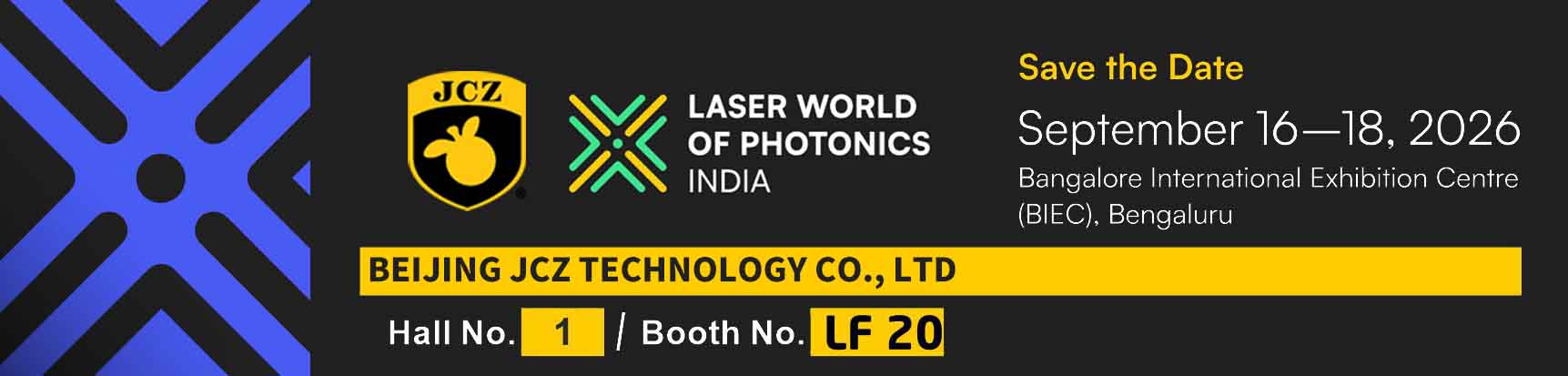
Meet JCZ at Laser World of Photonics India 2026 in Bengaluru
Laser Marking Fabric with Portable Laser Engraver: Advanced UV Laser Marking Solutions for Modern Manufacturing
Laser Machine for Marking: The Ultimate Guide to Portable Fiber Engravers & MOPA Color Laser Marking