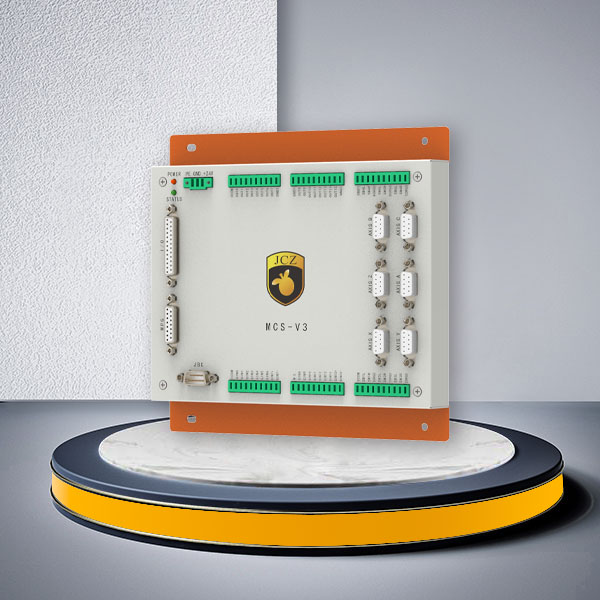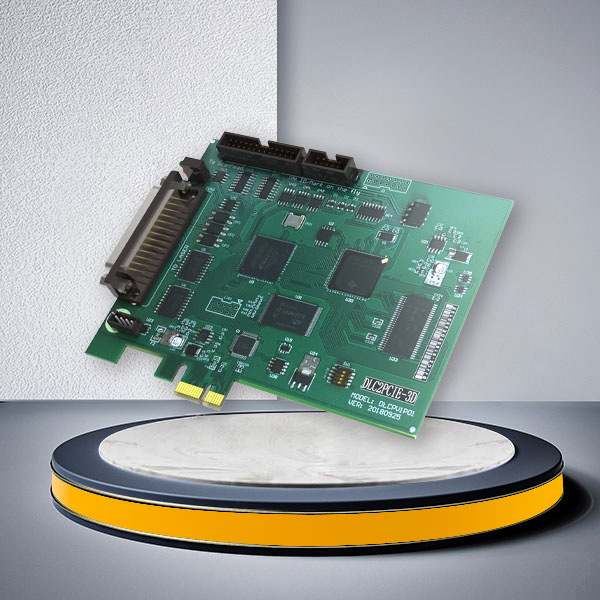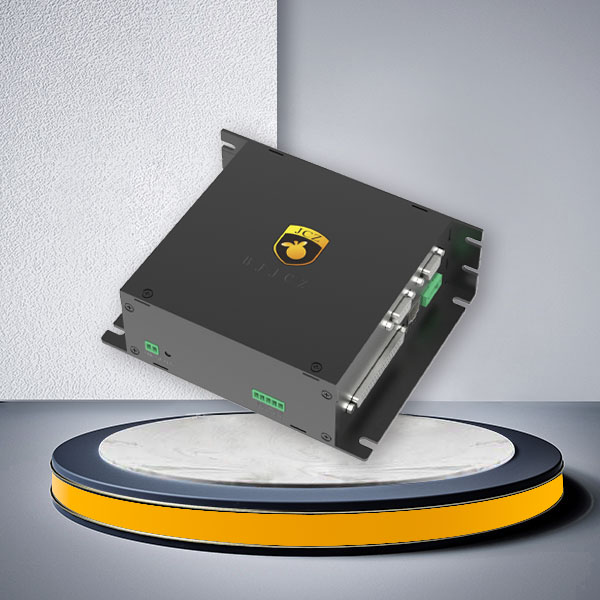
| Configurations | |
| Connection Method | USB2.0/Gigabit Ethernet |
| Compatible Laser | All Mainstream Laser Types In The Market |
| Galvo Scanner Control Protocol | All Mainstream Galvos Types In The Market |
| Encoder Input | 2 Channels |
| Power Supply Method | 12-24V DC Wide Voltage Input |
| Number of Input Ports | 10 Channels |
| Number of Output Ports | 8 Channels |
| Operating System | WIN7/WIN10/WIN11, 64-bit Systems |
| Multi-card connection | 24 Channels |
| Optional JBC interface for controlling Scanlab Galvo Scanner | |
| Supports fiber, STD, SPI, QCW and other adapter cards to control lasers | |
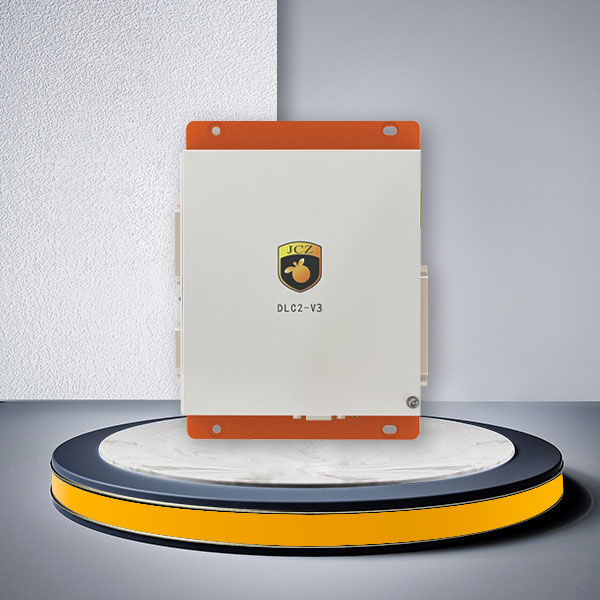
DLC2-V3 Laser Controller Card for EZCAD3 Ethernet Laser Systems
The DLC2-V3 Laser Controller Card is designed for OEM laser machines and automated marking systems that need EZCAD3 control, Ethernet-based machine architecture, industrial I/O, encoder input and multi-controller integration.
Rather than adding motion and I/O capacity that a standard machine may never use, DLC2-V3 provides a practical middle ground between a USB-based controller and the more expandable DLC2-V4 platform. It is particularly suitable for laser equipment connected to production lines, centralized industrial PCs, conveyors or multiple marking stations.
The DLC2-V3 Laser Controller Card provides 10 general inputs, 8 general outputs, 2 encoder inputs, flying-marking support, multi-card connection and laser/galvo interface expansion. This makes it a practical controller for machine builders that need more integration capability than a standalone laser marker without moving immediately to a higher-level control architecture.
Where DLC2-V3 Fits in a Laser Control System
A typical automated laser system includes several components:
Industrial PC / EZCAD3
→ DLC2-V3 Laser Controller Card
→ Laser Source
→ Galvo Scanner
→ Encoder / Sensors
→ PLC or External Equipment
→ Production Line
The controller coordinates laser firing, galvo movement and external machine signals.
For purchasing, the main question is therefore not simply whether DLC2-V3 can “control a laser.” The important question is whether its communication method, I/O capacity, encoder channels, laser interface and galvo compatibility match the complete machine architecture.
This is where DLC2-V3 differs from a basic control board intended mainly for standalone marking.
Choose DLC2-V3 for Ethernet-Based Machine Integration
One of the main reasons to choose DLC2-V3 is network-based communication.
Ethernet architecture is useful when:
- the industrial PC is installed away from the laser station;
- the controller is mounted inside a machine control cabinet;
- several marking stations need to be managed within one production system;
- the laser machine is integrated into a larger automated line;
- cable routing makes a simple local USB connection inconvenient;
- the machine builder wants a more network-oriented control structure.
For a compact standalone machine where the PC is located directly beside the controller, a USB-based controller may already be sufficient.
For a distributed production system, DLC2-V3 gives the machine builder greater flexibility in controller placement and system layout.
Because different hardware revisions and configurations may use different communication arrangements, confirm the required PC-to-controller interface when ordering.
10 Inputs and 8 Outputs for Standard Industrial Automation
The DLC2-V3 Laser Controller Card provides:
10 general input channels
8 general output channels
For many automated marking machines, this is enough to integrate the controller with common external equipment without moving to the higher I/O capacity of DLC2-V4.
Typical signals may include:
- part-present sensor;
- fixture-ready signal;
- cycle-start trigger;
- marking-complete output;
- machine-ready signal;
- alarm signal;
- pneumatic clamp control;
- reject mechanism;
- conveyor control signal;
- PLC communication logic.
For example, a production-line marking station may need to confirm that a workpiece has arrived, receive permission to start marking, execute the laser job and then return a completion signal to the PLC.
In this type of application, the number and type of I/O channels often matter more than the nominal processing speed of the control card.
Before selecting the controller, prepare an I/O list showing every signal that must enter or leave the laser control system.
Encoder Inputs for Moving Production Lines
DLC2-V3 provides two encoder input channels and supports flying-marking applications.
This makes the controller relevant to production lines where products continue moving during laser marking.
Typical applications include:
- cable and wire marking;
- pipe marking;
- packaging identification;
- electronics production;
- automotive component traceability;
- serial-number marking on conveyors;
- date, batch or variable-code marking.
In a Marking on the Fly system, the controller must process encoder information together with the laser and galvo commands so that the marking position compensates for product movement.
DLC2-V3 also provides two general flying-marking functions.
However, controller capability alone does not determine whether a flying-marking application will work at the required production speed.
Final system performance also depends on:
- conveyor speed;
- encoder resolution;
- product spacing;
- trigger method;
- marking content;
- laser power;
- galvo speed;
- required marking field.
For high-speed production projects, provide these operating conditions before final controller selection.
Laser Source Compatibility Should Be Checked by Interface
The DLC2-V3 Laser Controller Card can be configured for common industrial laser sources through compatible laser interfaces and adapter cards.
Available configuration directions include fiber, STD, SPI, QCW and other supported laser interfaces.
For machine builders, “fiber laser,” “UV laser” or “CO2 laser” alone is not enough information to confirm compatibility.
Different laser sources can require different:
- trigger signals;
- power-control signals;
- pulse-control interfaces;
- analog signals;
- connector definitions;
- dedicated adapter boards.
Before ordering DLC2-V3, provide the exact laser manufacturer and model.
This is especially important when replacing an existing controller or integrating a laser source that was originally supplied with another control platform.
Match the Controller to the Galvo Scanner
The controller should also be selected together with the scan head.
DLC2-V3 supports mainstream galvo scanner configurations and can use an optional JBC interface for compatible SCANLAB scan heads.
When confirming galvo compatibility, provide:
- galvo manufacturer;
- exact model;
- control protocol;
- 2D or 3D requirement;
- existing connection cable information;
- application type.
Do not select the control card simply because both products use the general description “digital galvo.”
Protocol, bit depth, cable definition and required scan functions still need to match.
For JCZ scan-head options, see Laser Galvo Scanner.
Multi-Card Connection for Multiple Laser Stations
DLC2-V3 supports multi-card connection, with the current published configuration supporting up to 24 controllers.
This is particularly relevant to OEM equipment such as:
- multi-station laser marking machines;
- production lines with several marking heads;
- parallel processing cells;
- centralized laser marking systems;
- equipment using one industrial PC to manage several control stations.
A single-head standalone machine normally does not need this capability.
For a multi-controller project, confirm the number of marking stations, operating sequence and PC architecture before selecting the control hardware.
The purpose of multi-card support is to simplify system architecture where several laser stations actually need centralized management—not simply to maximize the number of controllers installed.
Real-Time Control for Laser and Galvo Coordination
DLC2-V3 uses a 16M × 32-bit memory data buffer and the published specification lists a 10 μs cycle response time.
For practical machine integration, this helps the controller process the commands required for laser, galvo and external signal coordination.
It is particularly relevant in systems involving:
- repeated industrial marking cycles;
- encoder-based marking;
- external trigger signals;
- automated workpiece handling;
- high-frequency production sequencing.
Actual marking speed still depends on the complete laser system. The controller should not be evaluated independently from the scan head, laser source, marking content and mechanical production cycle.
12–24 V DC Power for Industrial Machine Cabinets
The published DLC2-V3 configuration supports a 12–24 V DC wide-voltage power input.
This makes it easier to integrate the controller into industrial electrical cabinets where DC power is already available for machine control components.
When designing the cabinet, also consider:
- power-supply capacity;
- grounding;
- cable routing;
- electrical interference;
- separation of signal and power wiring;
- installation space;
- accessibility for service and replacement.
For OEM equipment, defining these details before the electrical cabinet is finalized can reduce later rewiring.
DLC2-V3 vs DLC2-V2: When Ethernet Matters
DLC2-V2 and DLC2-V3 both belong to the EZCAD3 DLC controller platform, but they serve different machine architectures.
Choose DLC2-V2 when:
- a USB-based control architecture is suitable;
- the PC is located close to the marking system;
- standard industrial I/O and encoder functions are sufficient;
- network-based controller deployment is not required.
Choose DLC2-V3 when:
- Ethernet/network communication is preferred;
- the controller and industrial PC may be separated;
- the machine is being integrated into a production line;
- several controllers may need to operate within one system;
- centralized control architecture is required.
The decision should be based primarily on machine communication architecture rather than simply choosing the later model number.
DLC2-V3 vs DLC2-V4: Do You Need the Extra Capacity?
DLC2-V4 is an upgraded architecture based on the V3 platform and provides additional expansion capability.
The published configurations show an important distinction:
DLC2-V3:
- 10 input channels;
- 8 output channels;
- 2 encoder channels;
- Ethernet/network integration;
- up to 24-card connection;
- suitable for standard production-line and multi-station integration.
DLC2-V4:
- 14 input channels;
- 8 output channels;
- 2 encoder channels;
- Gigabit Ethernet architecture;
- up to 32-card connection;
- additional expansion functions;
- V4-MC4 configuration with four-axis motion control.
Choose the DLC2-V3 Laser Controller Card when its I/O, encoder, Ethernet and multi-card resources already cover the complete machine requirement.
Move to DLC2-V4 when the project specifically requires additional inputs, a larger multi-controller architecture or the V4 motion and expansion functions.
Using DLC2-V4 for every project is not automatically better. If V3 already covers the required system architecture, DLC2-V3 can provide a more focused controller configuration for the machine.
Typical Systems for DLC2-V3
The DLC2-V3 Laser Controller Card is especially suitable for OEM and automated equipment such as:
Automated Laser Marking Stations
For machines using sensors, fixtures, PLC signals and automatic loading or positioning around the laser process.
Conveyor and Flying-Marking Systems
For continuous production where encoder information and external trigger signals need to be combined with galvo marking.
Multi-Station Marking Equipment
For equipment builders that need several laser control cards operating within a centralized machine architecture.
Industrial Traceability Systems
For serial numbers, QR codes, Data Matrix codes, batch information and other variable marking integrated with production workflows.
Custom OEM Laser Machines
For system integrators building laser equipment around EZCAD3, a compatible laser source, galvo scanner and external automation devices.
The actual laser process—marking, engraving or another galvo-based operation—still depends on the selected laser source, optics and scan system.
When DLC2-V3 Is Not the Best Choice
DLC2-V3 is not automatically the correct controller for every EZCAD3 project.
Consider another controller when:
- your machine only requires a simple USB architecture;
- 10 inputs are insufficient for the automation design;
- the project requires the dedicated V4 motion-control configuration;
- a PCIe controller architecture is required;
- the project requires highly customized PLC, MES or HMI integration beyond standard EZCAD operation.
Selecting the controller by the system requirement avoids paying for unused capacity or discovering missing interfaces after the machine design is complete.
Frequently Asked Questions
What is a DLC2-V3 Laser Controller Card used for?
DLC2-V3 is an EZCAD3-compatible laser and galvo controller designed for systems requiring network communication, industrial I/O, encoder inputs, flying marking and multi-card integration. It is particularly suitable for OEM and automated laser equipment.
Does DLC2-V3 support Ethernet communication?
Yes. Network/Ethernet communication is one of the main reasons to select DLC2-V3 instead of a simpler USB-based architecture. Confirm the exact hardware revision and required communication interface when ordering.
How many I/O channels does DLC2-V3 provide?
The current published configuration provides 10 general input channels and 8 general output channels.
Does DLC2-V3 support encoders?
Yes. The published DLC2-V3 specification includes two encoder input channels, making it suitable for systems where encoder signals are required, including compatible flying-marking applications.
Can DLC2-V3 be used for Marking on the Fly?
Yes, the published configuration includes two general flying-marking functions. Final suitability depends on conveyor speed, encoder configuration, trigger method, laser source, galvo scanner and marking content.
Can DLC2-V3 work with different laser sources?
DLC2-V3 can be configured with compatible fiber, STD, SPI, QCW and other laser adapter interfaces. The exact laser manufacturer and model should be supplied before ordering.
Can DLC2-V3 control a SCANLAB galvo scanner?
The published configuration includes an optional JBC interface for compatible SCANLAB galvo control. The exact scanner model and interface should still be confirmed.
Should I choose DLC2-V3 or DLC2-V4?
Choose DLC2-V3 when Ethernet communication, 10 inputs, 8 outputs, encoder functions and its multi-card capacity meet the machine requirement. Choose DLC2-V4 when the project requires additional input capacity, larger multi-controller expansion or V4-specific motion-control functions.
Configure the DLC2-V3 Around Your Machine Architecture
Send JCZ your laser model, galvo model, I/O list, encoder requirement and machine layout. We can help determine whether DLC2-V3 provides the right level of control for your system or whether DLC2-V2, DLC2-V4 or another controller architecture is more appropriate.