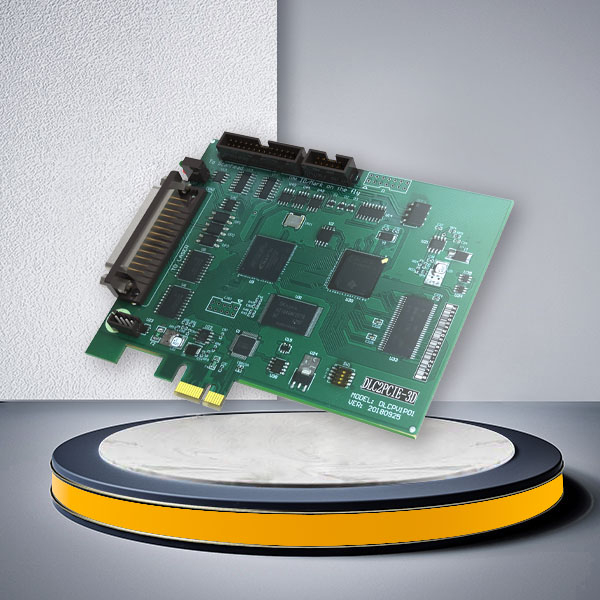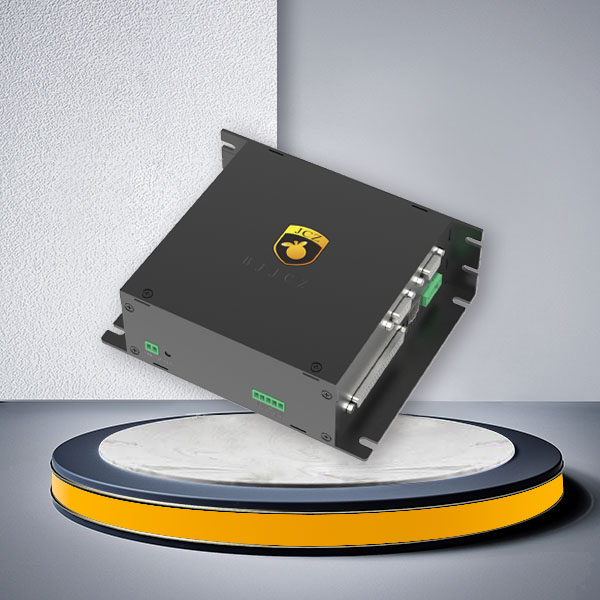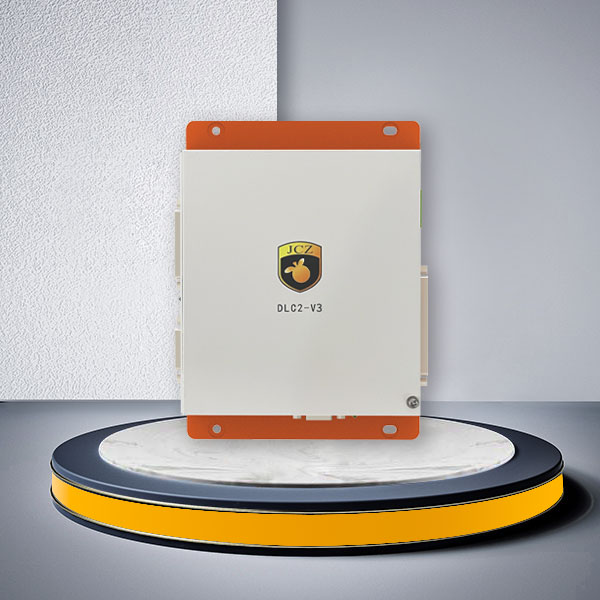
| Configurations | |
| Connection Method | Gigabit Ethernet port |
| Compatible Laser | All Mainstream Laser Types In The Market |
| Galvo Scanner Control Protocol | All Mainstream Galvos Types In The Market |
| Encoder Input | 2 Channels |
| Online Upgrade oBoard Firmware | Supported |
| Number of Input Ports | 14 Channels |
| Number of Output Ports | 8 Channels |
| Operating System | WIN7/WIN10/WIN11, 64-bit Systems |
| Multi-card connection | 32 Channels |
| Independent external 5V output | |
| Equipped with a watchdog function to prevent abnormal prolonged laser emissions | |
| 4-axis control, capable of achieving a maximum pulse frequency of 4MHz (DLC2-V4-MC4) | |
| Expandable with MX4 or various laser interface cards | |
| Supports Scanlab 2D/3D mirror control (DLC2-V4-MC4) | |
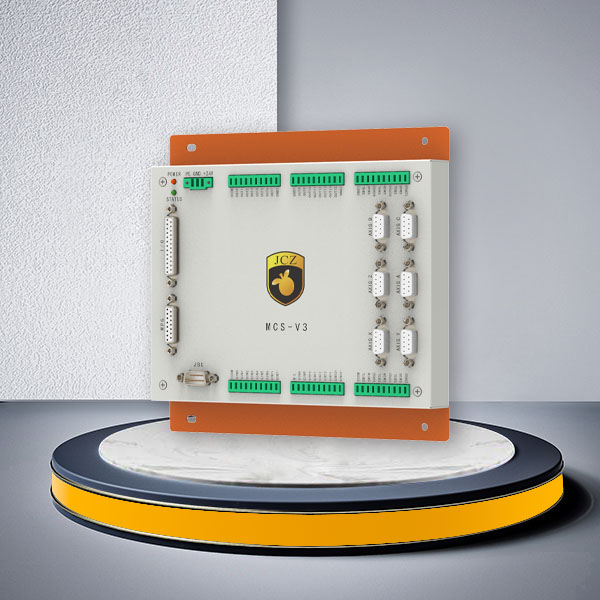
MCS Series 6-Axis Motion Controller for DLC2 Laser Systems
The JCZ MCS Series is a motion-control expansion product designed to complement the DLC2 series laser controller. It extends the motion-control capabilities of compatible DLC2-based systems to support up to 6 axes of motion, making it suitable for laser equipment manufacturers and system integrators developing machines with additional positioning and motion requirements.
The MCS Series features a Gigabit Ethernet connection, 2 encoder input channels, 14 digital input channels and 8 digital output channels. It also provides an independent external 5V output, online onboard firmware upgrades and a watchdog function.
For OEM laser machine builders, the MCS Series provides an additional motion-control option within the JCZ DLC2 control architecture. Its configuration can be evaluated according to the required number of motion axes, encoder feedback, machine I/O, controller compatibility and equipment integration requirements.
Contact JCZ with your DLC2 controller model and motion requirements to confirm a suitable MCS configuration for your laser equipment.
Key Features of the MCS Series 6-Axis Motion Controller
- Up to 6-Axis Motion Expansion: Extends compatible DLC2 laser controller systems to support up to six axes of motion.
- Gigabit Ethernet Connection: Provides a network interface for the MCS control configuration.
- Encoder Feedback Inputs: Includes 2 encoder input channels for compatible feedback integration.
- Industrial Digital I/O: Provides 14 input channels and 8 output channels for equipment signal integration.
- Independent 5V Output: Provides an independent external 5V power output for compatible connected devices.
- Online Firmware Upgrade: Supports onboard firmware upgrades.
- Watchdog Function: Includes a watchdog function designed to help prevent abnormal prolonged laser emissions.
MCS Motion Controller Architecture for DLC2 Systems
The MCS Series is not positioned as a standalone general-purpose CNC controller. It is an additional motion-control product designed to work with the JCZ DLC2 series controller.
In a compatible laser equipment configuration, the DLC2 controller manages the laser-processing control system, while the MCS provides additional motion-control capacity within the system architecture.
This arrangement is relevant to OEM equipment manufacturers whose machines require both laser processing and additional mechanical movement.
MCS and DLC2 System Roles
| System Component | Main Role | Selection Considerations |
|---|---|---|
| DLC2 Laser Controller | Main laser and galvo control platform | Select according to laser source, galvo protocol and software configuration |
| MCS Motion Controller | Extends the compatible system to support up to 6 axes of motion | Confirm axis requirements and system compatibility |
| Encoder | Provides motion-related feedback signals | Confirm encoder type and electrical interface |
| Digital Inputs | Receives external equipment signals | Confirm sensor and trigger requirements |
| Digital Outputs | Provides external equipment control signals | Confirm connected device requirements |
| Industrial PC | Runs the compatible control software and system configuration | Confirm operating system and software compatibility |
The actual connection architecture, signal assignment and motion-drive configuration should be confirmed according to the selected DLC2 model and MCS hardware configuration.
For the main laser controller, see the JCZ DLC2 Laser Controller Series.
When Do You Need an MCS Motion Controller?
A standard laser controller may be sufficient for equipment that only requires laser triggering and galvo scanning. However, machine builders may need additional motion-control capacity when the workpiece, fixture or mechanical platform must move during the production process.
The MCS Series can be evaluated for equipment projects involving:
| Equipment Requirement | Motion-Control Consideration |
|---|---|
| Multi-axis laser equipment | Additional motion axes beyond basic laser and galvo control |
| Moving workpiece systems | Positioning and movement of workpieces |
| Automated laser processing equipment | Integration of motion requirements with machine signals |
| Complex mechanical positioning | Additional axis capacity for machine architecture |
| Encoder-related applications | Integration of compatible encoder feedback |
| OEM laser machine development | Motion-control expansion within a compatible DLC2 system |
The actual supported motion modes, motor-drive interfaces and coordinated movement functions must be confirmed before ordering. The six-axis specification should not be interpreted as automatic support for every six-axis interpolation or servo-control function.

MCS Series Technical Specifications
The following table summarizes the specifications currently published for the MCS Series.
| Parameter | MCS Series Specification |
|---|---|
| Product Type | DLC2-Compatible Motion Controller Expansion |
| Motion Control Capacity | Up to 6 Axes |
| Connection Method | Gigabit Ethernet Port |
| Encoder Input | 2 Channels |
| Digital Input | 14 Channels |
| Digital Output | 8 Channels |
| External Power Output | Independent 5V Output |
| Onboard Firmware Upgrade | Supported |
| Watchdog Function | Supported |
| Operating System | Windows 7 / Windows 10 / Windows 11, 64-bit |
| Laser Compatibility | Mainstream laser types, subject to DLC2 configuration |
| Galvo Scanner Compatibility | Mainstream galvo types, subject to DLC2 configuration |
The published specifications above describe the MCS Series and its compatible DLC2 system. They should not be combined with specifications belonging to other DLC2 controller configurations.
MCS vs. DLC2-V4-MC4: Which Motion Control Configuration Should You Choose?
JCZ provides different motion-control options within its DLC2 product family. The MCS Series and DLC2-V4-MC4 should be distinguished according to their published functions.
The DLC2-V4-MC4 is a specific DLC2-V4 configuration with four-axis control and a maximum pulse frequency of 4MHz. The MCS Series is an additional motion-control product designed to extend compatible DLC2 systems to support up to six axes.
| Comparison Parameter | MCS Series | DLC2-V4-MC4 |
|---|---|---|
| Product Architecture | Additional DLC2-compatible motion controller | Specific DLC2-V4 control configuration |
| Published Motion Capacity | Up to 6 axes | 4 axes |
| Maximum Pulse Frequency | Not specified on the MCS product page | Up to 4MHz |
| Encoder Input | 2 channels listed on the MCS page | 2 channels listed for the DLC2-V4 platform |
| Digital Input | 14 channels listed on the MCS page | 14 channels listed for the DLC2-V4 platform |
| Digital Output | 8 channels listed on the MCS page | 8 channels listed for the DLC2-V4 platform |
| Connection | Gigabit Ethernet port | Gigabit Ethernet port |
| Main Selection Consideration | Additional motion capacity up to 6 axes | Published 4-axis motion configuration with 4MHz maximum pulse frequency |
Which One Is Right for Your Equipment?
| Your Requirement | Recommended Direction |
|---|---|
| Additional motion capacity of up to 6 axes within a compatible DLC2 system | MCS Series |
| A published 4-axis motion configuration with up to 4MHz pulse frequency | DLC2-V4-MC4 |
| A laser controller with additional mechanical motion requirements | Evaluate the appropriate DLC2 motion configuration |
| Scanlab 2D/3D scanner control through the specified MC4 configuration | DLC2-V4-MC4 |
| A project requiring a specific servo, encoder or interpolation function | Confirm the hardware and firmware configuration with JCZ |
If your equipment requires the published four-axis, 4MHz configuration, visit the DLC2-V4 Laser Controller page.
If your project requires additional motion capacity beyond that configuration, contact JCZ to evaluate the MCS Series.
Digital I/O and Encoder Integration
The MCS Series provides digital input and output connections together with encoder input channels for integration into compatible laser equipment.
For machine builders, these interfaces are important when connecting external sensors, machine status signals and motion-related feedback.
MCS Interface Configuration
| Interface | Published Quantity | Integration Purpose |
|---|---|---|
| Gigabit Ethernet | 1 interface type | Network connection |
| Encoder Input | 2 channels | Compatible encoder feedback |
| Digital Input | 14 channels | External trigger and equipment signals |
| Digital Output | 8 channels | External equipment signals |
| Independent 5V Output | 1 independent output | Power for compatible external devices |
| Watchdog | Built-in function | Controller monitoring and protection against abnormal prolonged laser emissions |
Laser and Galvo Compatibility with DLC2 Systems
The MCS Series is designed to complement the DLC2 controller family. Laser source and galvo scanner compatibility should therefore be evaluated through the selected DLC2 controller and its corresponding interface configuration.
The current MCS product specifications describe compatibility with mainstream laser types and galvo scanner types. However, actual compatibility depends on the specific laser source model, galvo protocol, DLC2 version and required interface hardware.
Laser Compatibility Information
| Information | What to Provide |
|---|---|
| Laser Manufacturer | Laser source brand |
| Laser Model | Exact model number |
| Laser Type | Fiber, CO₂, UV, QCW, YAG or other type |
| Wavelength | Actual laser wavelength |
| Laser Interface | Trigger, control and communication interface |
| Required Functions | Laser triggering, power control and other required signals |
Galvo Scanner Compatibility Information
| Information | What to Provide |
|---|---|
| Galvo Manufacturer | Scanner brand |
| Scanner Model | Exact model number |
| Scanner Type | 2D or 3D |
| Communication Protocol | Actual supported protocol |
| Interface Resolution | Supported scanner control resolution |
| Connection Details | Connector and cable information |
For compatible laser control hardware, visit the DLC2-V3 Ethernet Laser Controller or DLC2-V4 Laser Controller pages.
You can also explore the JCZ Galvo Scanner Product Range when selecting the scanner for your laser equipment.
Custom Integration Requirements for OEM Laser Equipment
Different laser machines have different motion, electrical and mechanical requirements. Selecting an MCS configuration should therefore begin with the actual equipment architecture rather than the axis count alone.
For OEM projects, JCZ can evaluate the required system configuration according to the information provided by the customer.
| Configuration Area | Information Required from the Customer | Engineering Evaluation |
|---|---|---|
| Motion Axes | Required number of axes and motion arrangement | Confirm compatibility with the MCS system |
| Motor Drives | Servo or stepper drive model and interface | Check supported control signals |
| Encoder Feedback | Encoder type, signal level and frequency | Check feedback compatibility |
| Digital I/O | Required input and output signals | Check channel allocation and electrical requirements |
| Communication | Network connection and system topology | Confirm communication configuration |
| DLC2 Controller | DLC2 model and hardware version | Confirm system compatibility |
| Laser Source | Brand, model, wavelength and interface | Confirm laser control compatibility |
| Galvo Scanner | Model and control protocol | Confirm scanner compatibility |
| Operating Environment | Industrial PC and Windows version | Check software and driver compatibility |
| Mechanical Layout | Installation drawings and available space | Evaluate installation requirements |
JCZ can use these details to evaluate whether the MCS Series is suitable for the project and identify any additional interface or hardware requirements.
Frequently Asked Questions About the MCS Series Motion Controller
1. Is the MCS Series a standalone 6-axis motion controller?
The MCS Series is an additional motion-control product designed to complement the JCZ DLC2 series controller. It extends the capabilities of a compatible DLC2-based system to support up to six axes of motion. It should be evaluated as part of the compatible control architecture rather than assumed to be a standalone general-purpose CNC controller.
2. How many motion axes does the MCS Series support?
The MCS product page specifies motion control capacity of up to six axes. The actual system configuration and supported motion functions should be confirmed according to the selected DLC2 controller and project requirements.
3. What is the difference between MCS and DLC2-V4-MC4?
MCS is an additional motion controller designed for up to six axes of motion within a compatible DLC2 system. DLC2-V4-MC4 is a specific four-axis DLC2-V4 configuration with a published maximum pulse frequency of 4MHz.
If your project requires the specified four-axis, 4MHz configuration, evaluate DLC2-V4-MC4. If additional motion capacity of up to six axes is required, consult JCZ about the MCS configuration.
4. How many encoder inputs and digital I/O channels does MCS provide?
The published MCS specifications include 2 encoder input channels, 14 digital input channels and 8 digital output channels. The electrical signal types, voltage levels and encoder frequency requirements should be confirmed before connecting external equipment.
5. Which servo or stepper motor drives are compatible with MCS?
The current MCS product page does not provide a complete list of compatible servo or stepper drive models, pulse output modes or maximum pulse frequencies.
Please provide your motor drive brand, model and interface specifications so JCZ can evaluate compatibility before ordering.
6. Can MCS work with different laser sources and galvo scanners?
MCS is designed to complement compatible DLC2 laser controller systems. The product page describes support for mainstream laser types and galvo scanner types. However, compatibility should be checked against the exact DLC2 controller, laser interface card, scanner protocol and hardware configuration.
7. Does MCS support Windows 11?
The published specifications list Windows 7, Windows 10 and Windows 11 64-bit systems. The appropriate driver, firmware and software versions should be confirmed for the selected hardware configuration.
Request an MCS 6-Axis Motion Controller Configuration from JCZ
Developing a laser machine that requires additional motion-control capacity?
The JCZ MCS Series extends compatible DLC2 controller systems to support up to six axes of motion, with 2 encoder input channels, 14 digital inputs, 8 digital outputs, Gigabit Ethernet and an independent external 5V output.
Whether you are developing OEM laser marking equipment, automated laser processing machinery or a customized multi-axis system, JCZ can help evaluate the appropriate controller configuration according to your motion requirements and existing laser control architecture.
Send us your DLC2 controller model, required axis configuration, motor drive specifications and machine wiring information. Our team will review the compatibility requirements and provide a suitable product recommendation and quotation.